

15+
Years Experience











15+
Years Experience
120K+
Monthly Transition
100+
Global Clients
40+
Countries
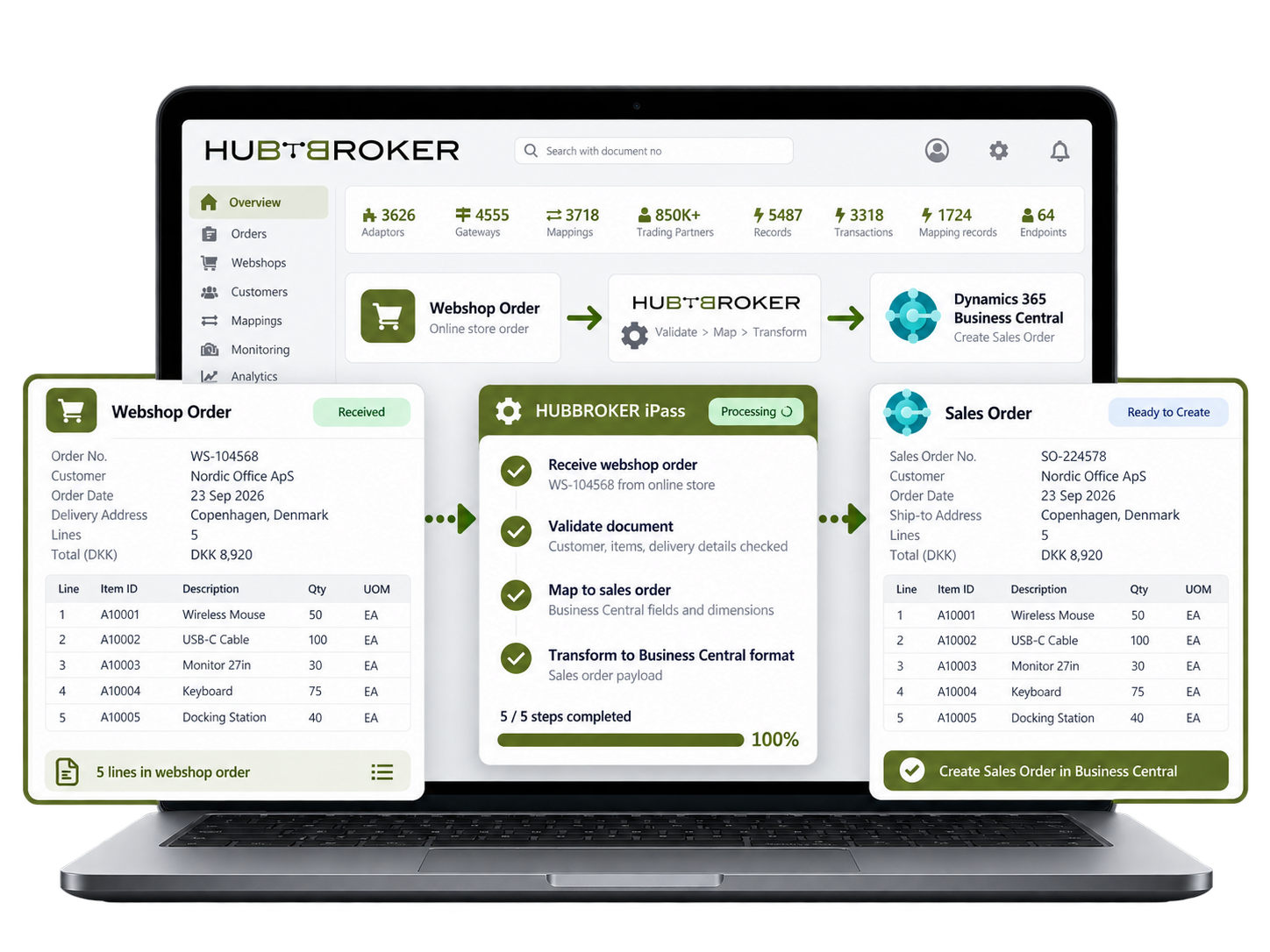
Bring webshop orders into Business Central with customer data, item lines and delivery addresses. An order placed overnight is ready for your sales team to review without retyping it from the webshop.
Create purchase invoices in Business Central from supplier invoice data, keeping lines and vendor references. Your accounts team can check a freight charge before posting instead of entering it twice.
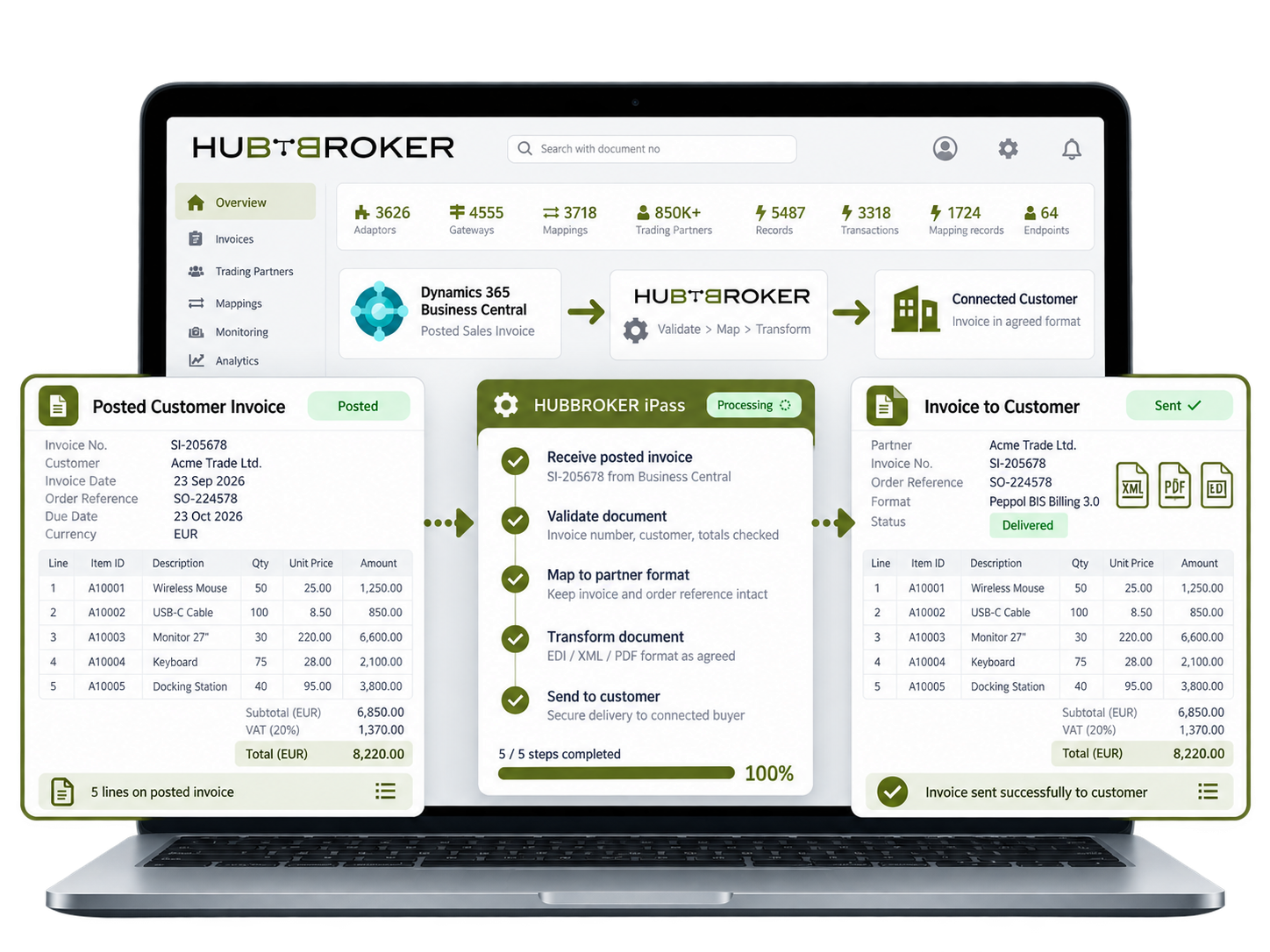
Send posted Business Central invoice data to connected customers with the invoice number and order reference intact. A trade buyer can identify the bill against its purchase order without a new email.
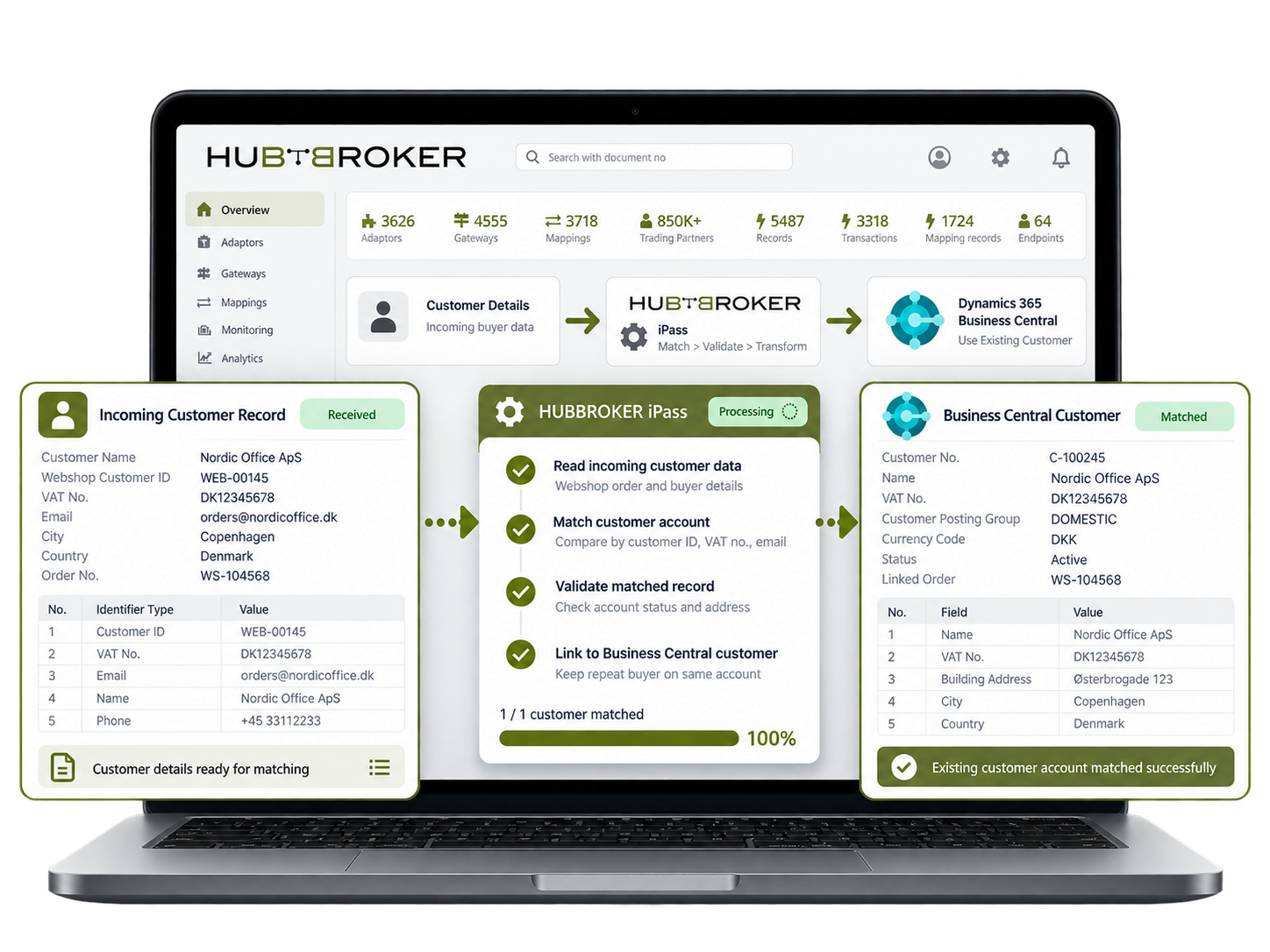
Match incoming customer details to existing Business Central accounts using agreed identifiers. The repeat buyer's webshop order stays on the same account rather than creating another customer record.
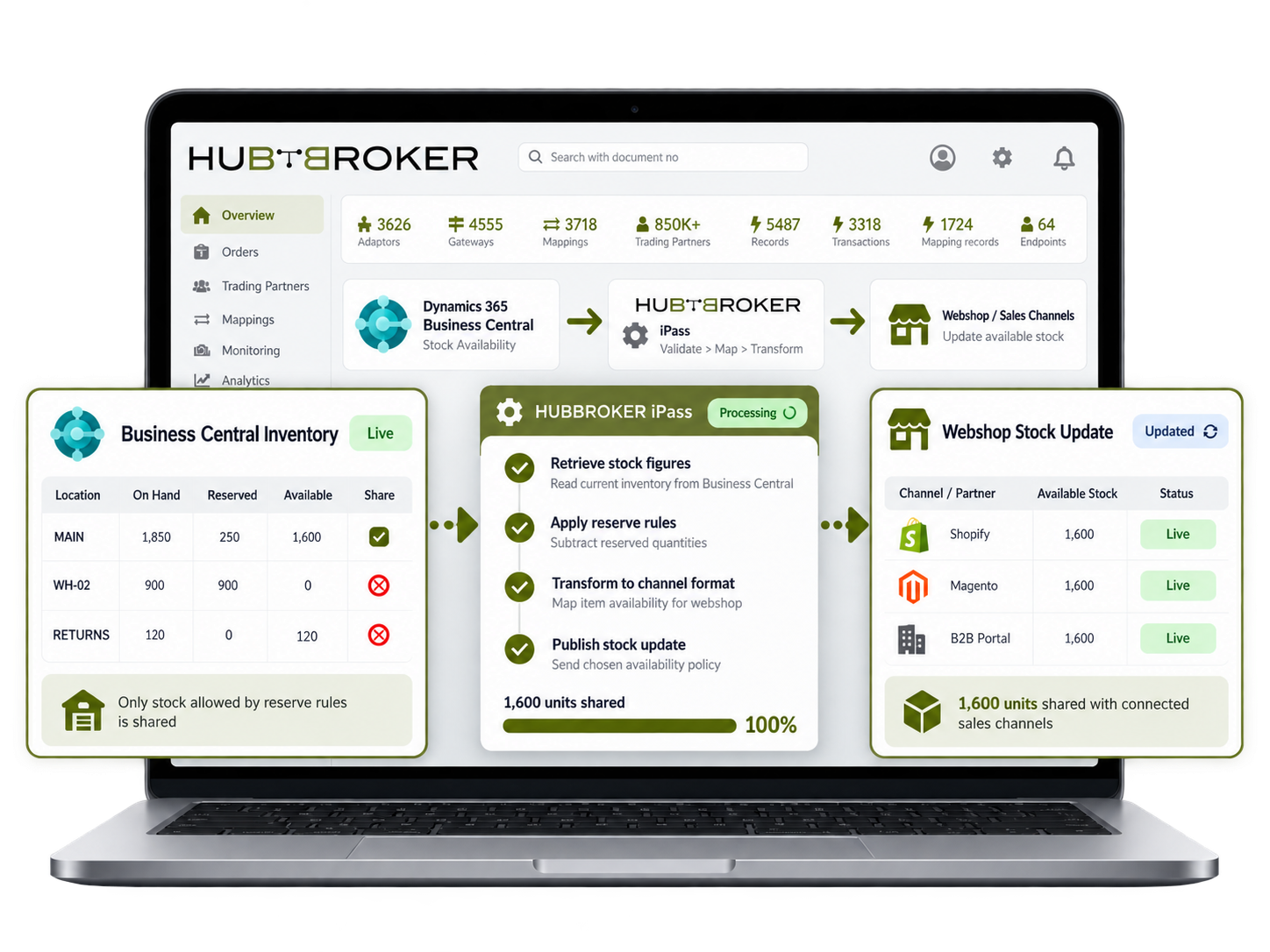
Share Business Central stock figures with the webshop using agreed reserve rules. When warehouse stock changes, the next update helps the online store show quantities based on the chosen stock policy.
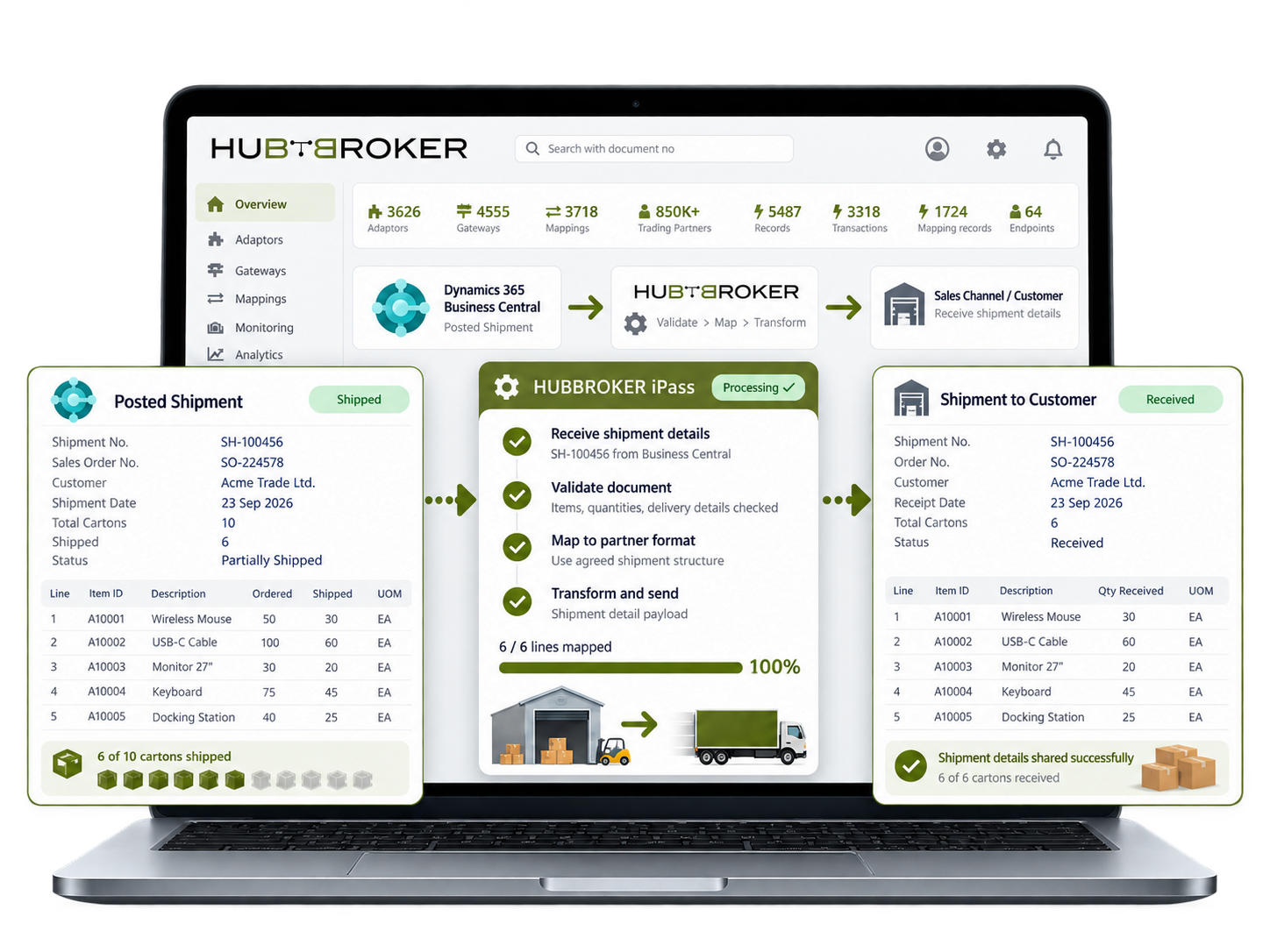
Send posted shipment details from Business Central to connected sales channels. When an order leaves in two deliveries, your team can supply the shipped quantities rather than mark everything as sent.
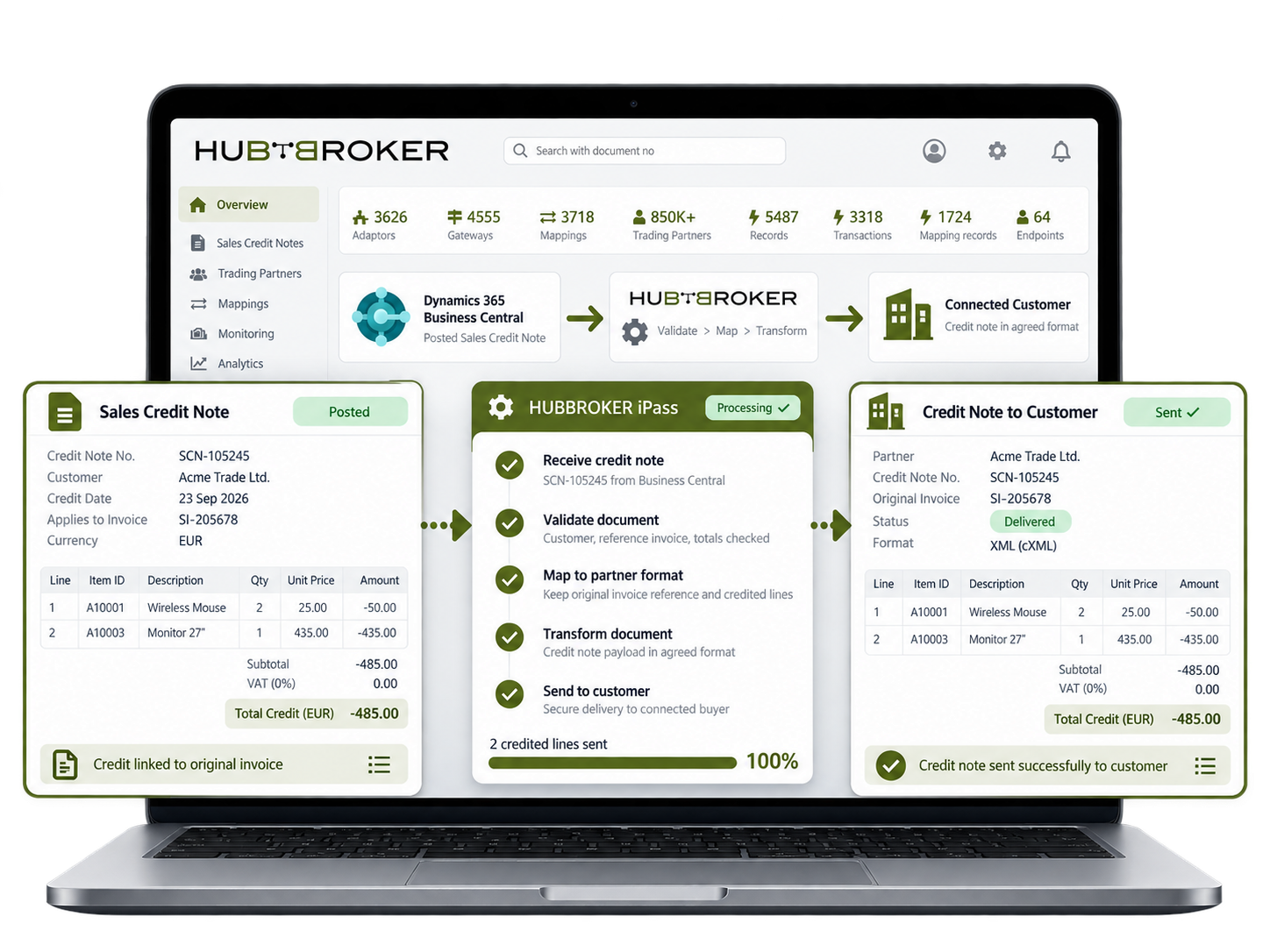
Share Business Central sales credit notes with connected customers, keeping invoice references and credited amounts. A credit for two returned items remains traceable to the original customer invoice.



Connect Amazon with ERP systems through EDI to automate orders, inventory, shipping, returns, and invoice data exchange.
Connect BigCommerce with your ERP through EDI to automate orders, invoices, inventory, and shipping data exchange across systems.
Connect Visma e-conomic with ERP and business systems through EDI to automate invoices, orders, finance, and accounting data.
Connect Microsoft Business Central with ERP, commerce, and trading systems through EDI to automate orders, invoices, and inventory.
Connect Rackbeat with ERP and commerce systems through EDI to automate inventory, orders, purchases, and invoice data exchange.
Connect Microsoft Dynamics 365 F&O with business platforms through EDI to automate finance, supply chain, orders, and invoicing data.
Connect Shopify with your ERP through EDI to automate orders, inventory, invoices, and fulfilment data exchange across systems.
Connect Uniconta with business systems through EDI to automate invoices, orders, inventory, and finance data exchange.
Connect SAP Business One with trading platforms through EDI to automate orders, invoices, inventory, and finance data exchange.
Connect OpenCart with your ERP through EDI to automate orders, invoices, inventory, and shipping data flow across business systems.
Let's schedule a demo and discover how our integration platform connects your apps and automates processes.
HubBroker connects Microsoft Business Central with the iPaaS platform through a connector or API, enabling automated EDI data exchange with customers and suppliers.
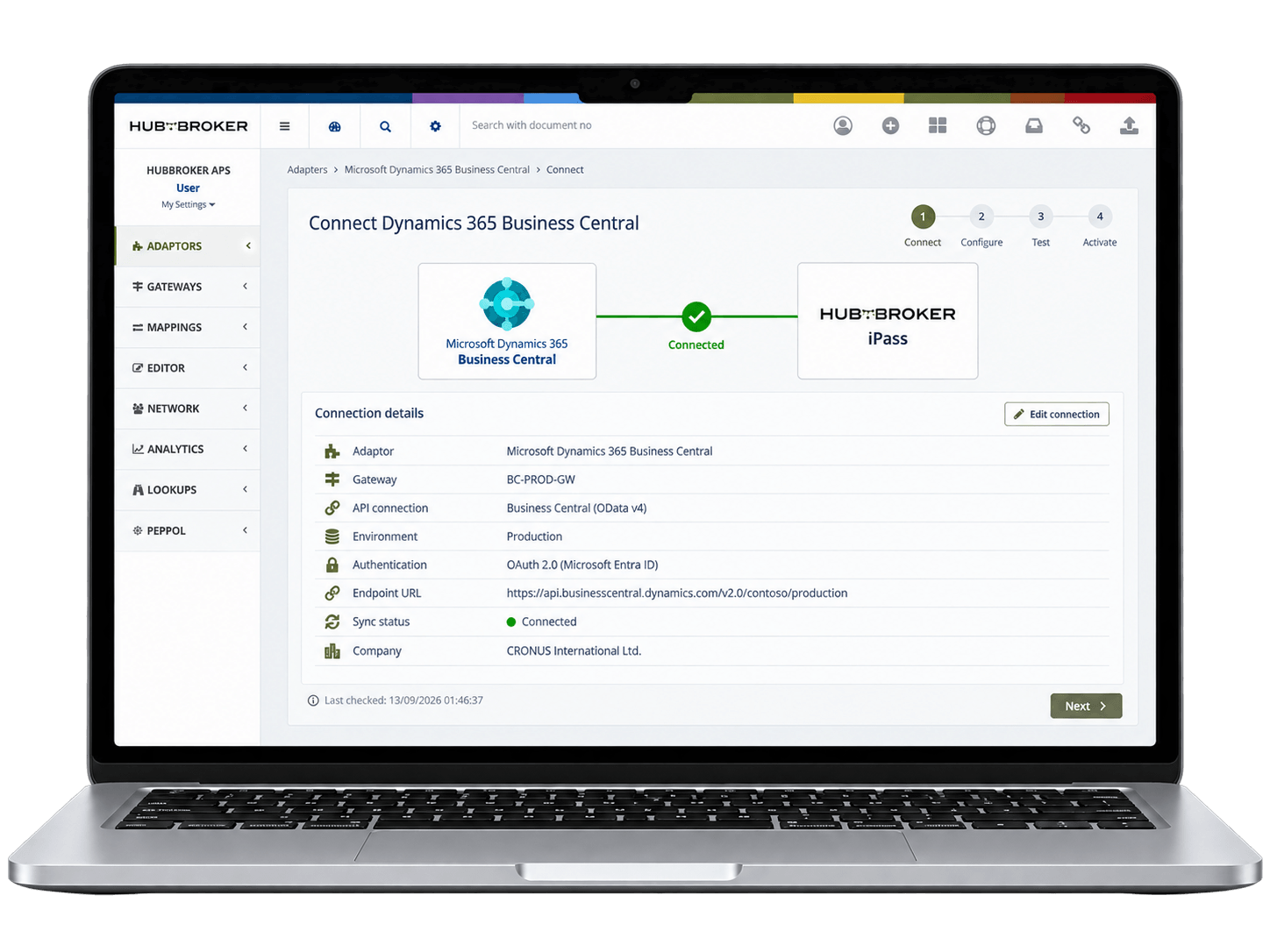
Customers, suppliers and required EDI documents such as purchase orders, order confirmations, shipping notices, invoices and credit notes are configured in HubBroker.
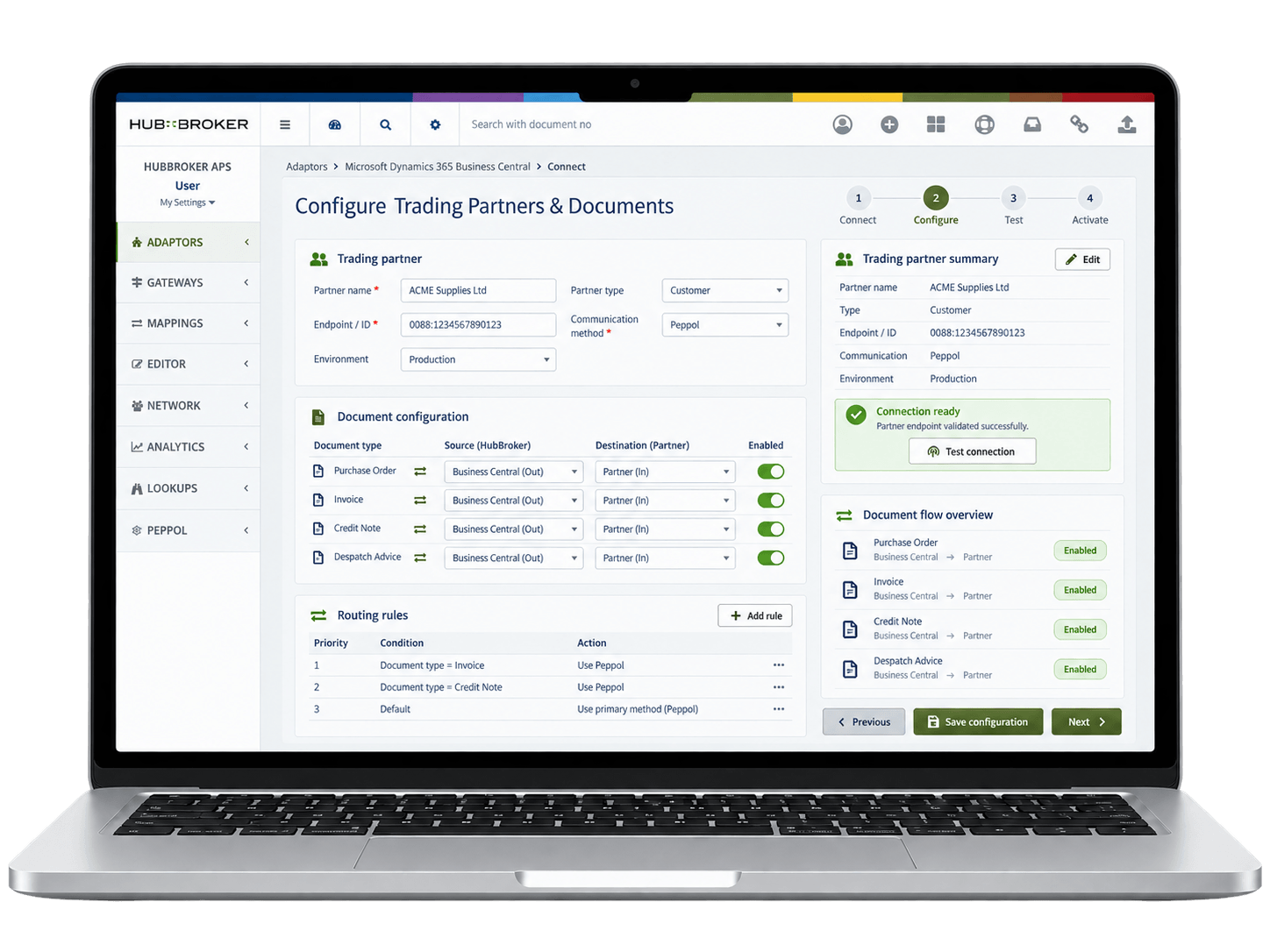
Incoming EDI orders and other business documents are received automatically through HubBroker and routed into the correct Business Central process without manual file handling.
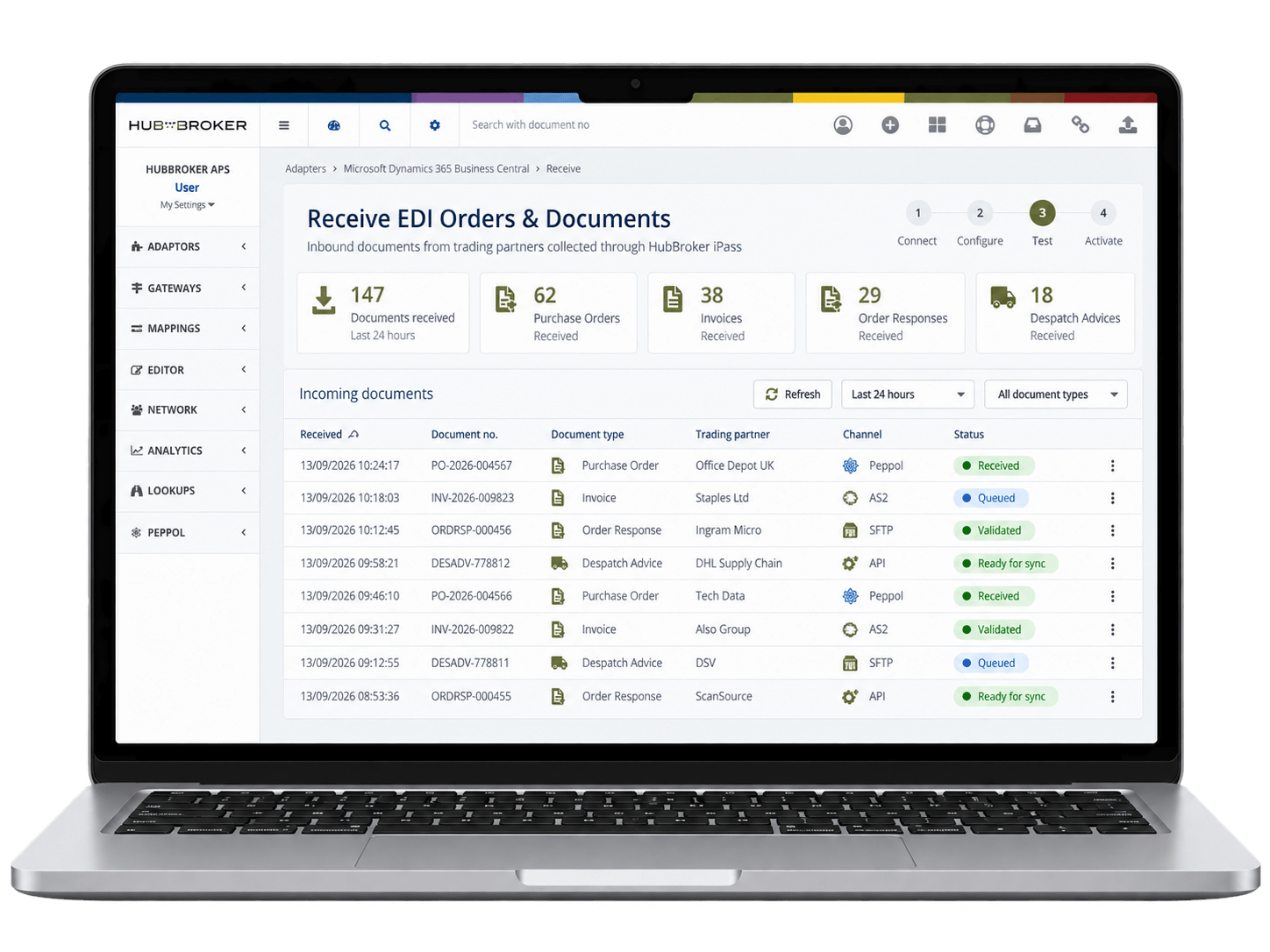
HubBroker maps partner data to Business Central fields, validates required information and transforms the document before creating or updating the correct BC record.
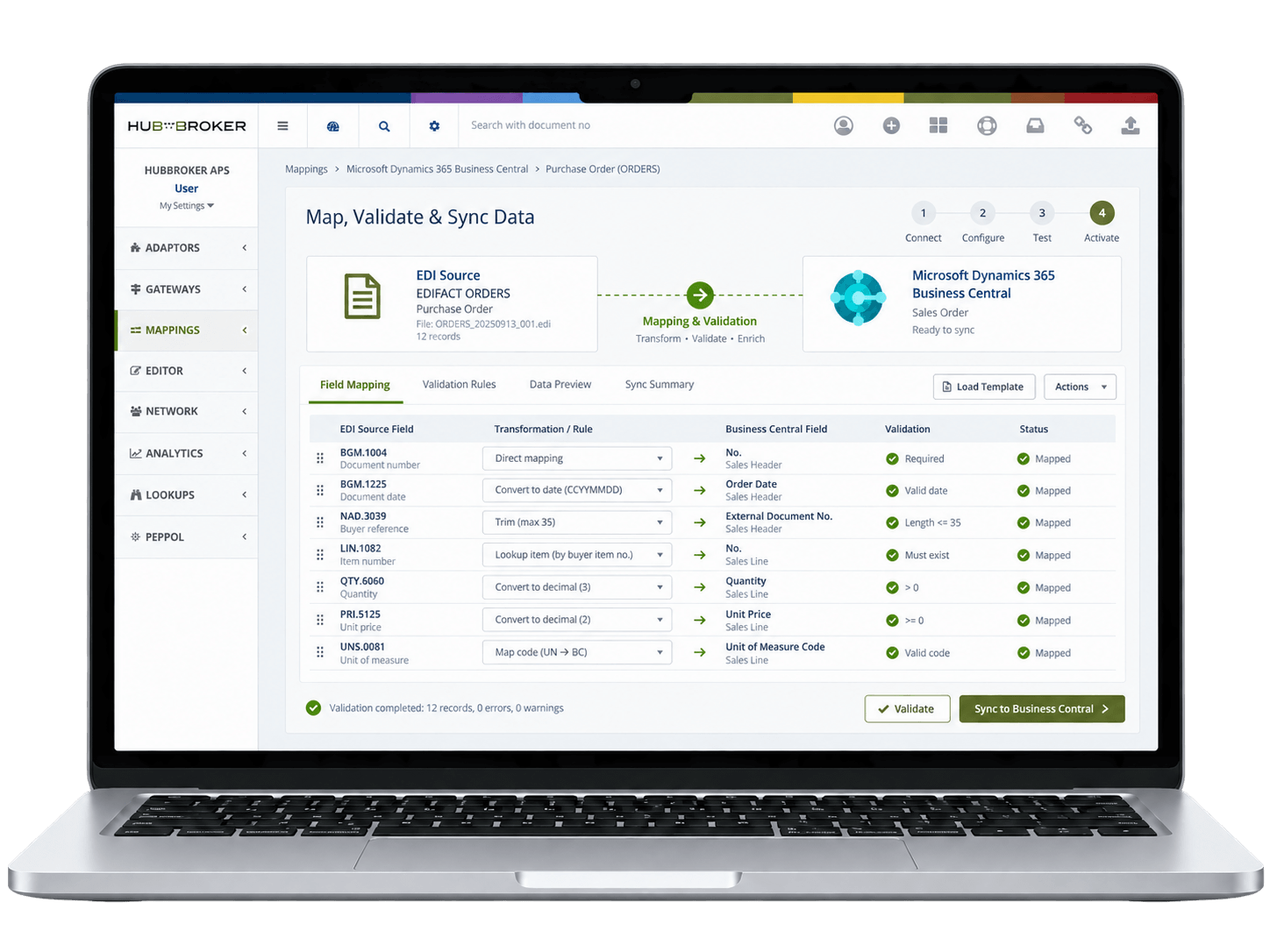
Business Central data is converted into the trading partner’s required EDI format and sent automatically as order confirmations, shipping notices, invoices or other responses.
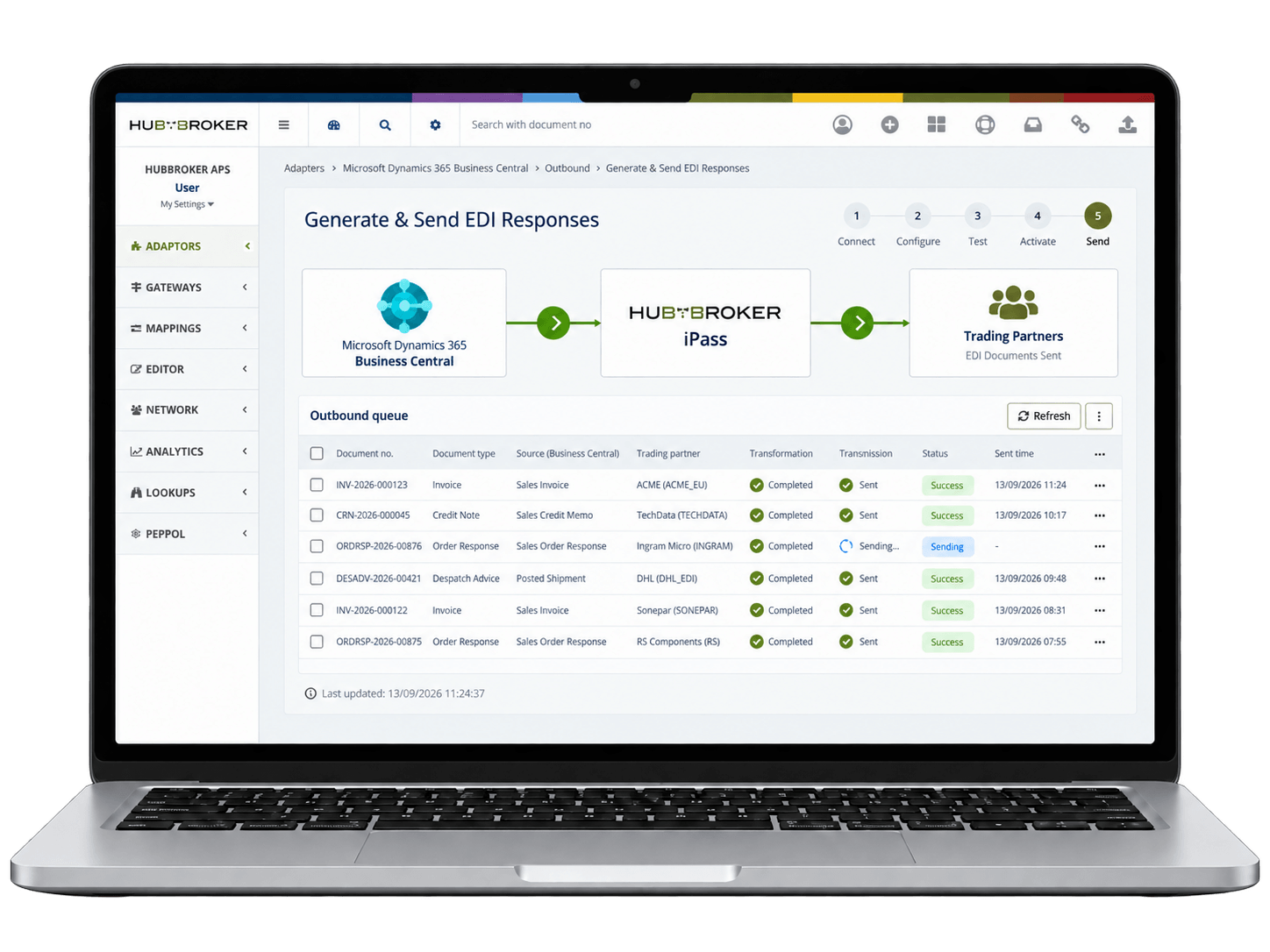
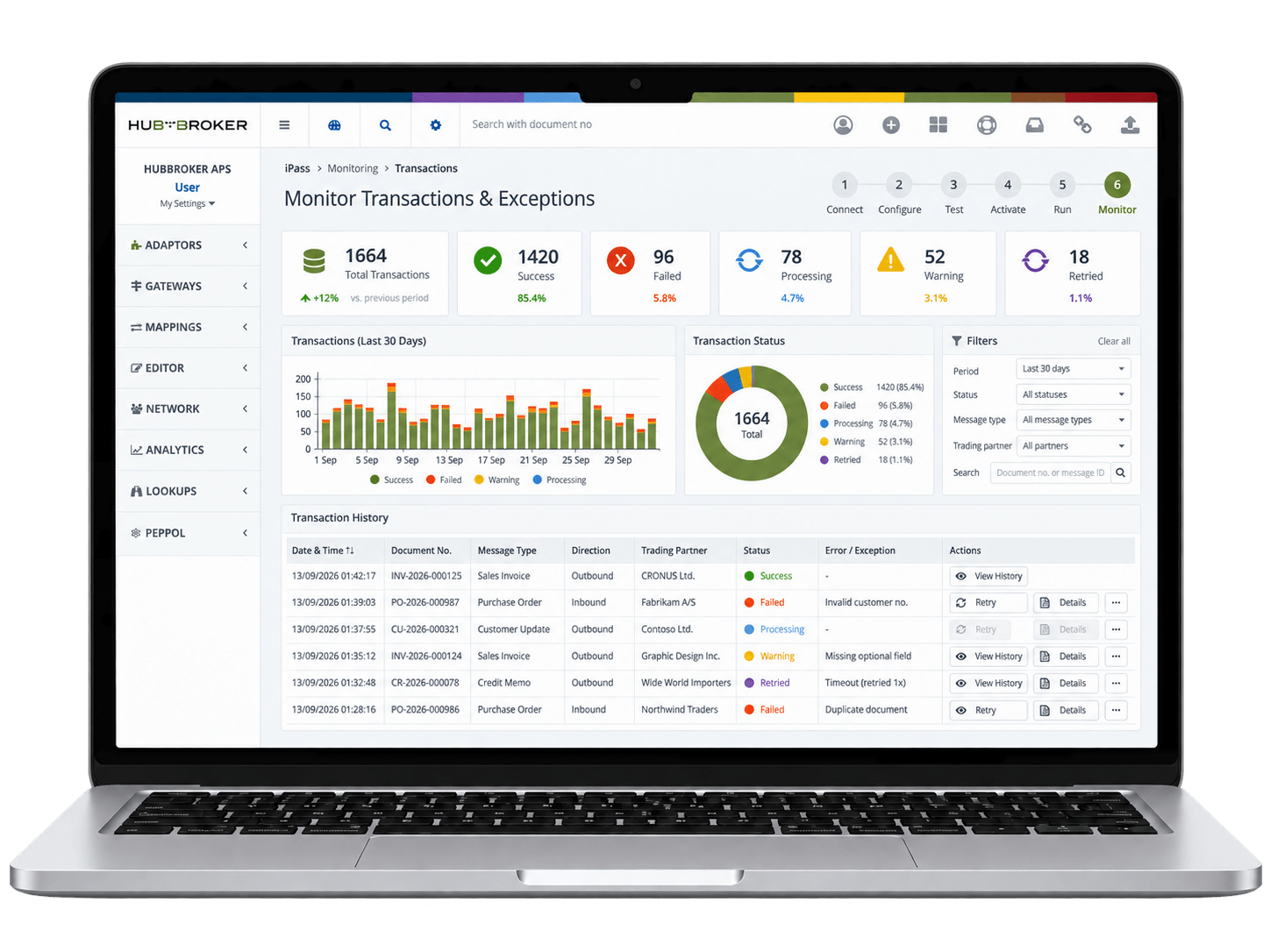
HubBroker tracks document status, processing errors and transaction history, helping teams manage failed documents and ongoing EDI activity from one platform.













Business Central posts the invoice. HubBroker iPaaS converts it into the format each buyer, network or tax authority expects, validates it before it leaves, and returns the delivery status to your finance team.
Send sales invoices and credit memos to any buyer registered on Peppol across Europe. Tip: store each buyer’s Peppol endpoint (GLN, CVR or VAT ID) on the customer card and check the Peppol Directory before the first send – a wrong endpoint is the most common first-invoice failure.
Invoice Danish public institutions and NemHandel-registered companies by EAN/GLN. Tip: public buyers often require an order or contact reference; make it a mandatory field on the sales order so it is never missing at posting.
Invoice German public-sector buyers and B2B customers who ask for structured invoices. Tip: public buyers identify the receiving office with a Leitweg-ID in the buyer reference field – keep it on the customer card, not in free text.
Send a readable PDF with structured XML embedded, for German and French customers whose AP teams still look at PDFs. Tip: agree the profile with each customer before go-live; not every profile carries enough data to count as a full e-invoice.
Invoice Italian customers or run an Italian entity, cleared through the Sistema di Interscambio. Tip: collect the buyer’s Codice Destinatario or PEC address first, and monitor SdI receipts – a notifica di scarto means the invoice was rejected and must be corrected and resent.
Invoice Spanish customers and public bodies in the Spanish national format. Tip: invoices to public bodies through FACe need the three DIR3 codes (oficina contable, órgano gestor, unidad tramitadora) on the customer.
Customer orders, supplier invoices, and dispatch notes flow into Business Central automatically, so your finance and operations teams stop rekeying the same data across multiple business systems.
Sales orders received via EDI land directly in Business Central sales documents, so order confirmation, picking, dispatch, and invoicing all start sooner and customers see faster turnaround times.
Outbound and inbound invoices are validated for format, VAT fields, and partner rules before they leave Business Central or reach AP, reducing rejections, disputes, and end-of-month cleanup work.
New customers, suppliers, and retailers can be added to your Business Central EDI flow without custom development, using reusable mappings, partner profiles, and predefined document templates.
Send and receive Peppol-compliant e-invoices and orders directly from Business Central, meeting B2G and EU mandates without separate portals, manual uploads, or third-party invoicing tools
Track every EDI document, status, and exception from within Business Central with logs, audit trails, and dashboards, so finance, IT, and operations teams share one accurate view of activity.
Our integration follows how Business Central actually works, mapping to standard sales, purchase, item, and posting flows rather than forcing your team to change familiar ERP processes.
You connect Business Central once and onboard every customer, supplier, retailer, or 3PL through the same HubBroker platform, instead of stacking separate EDI tools for each partner.
Business Central users get certified Peppol Access Point connectivity included, so B2G invoicing, EU compliance, and growing public-sector mandates are handled inside one connected platform.
Our process for Business Central EDI is repeatable and documented, with clear stages from requirement review through testing to go-live, so your IT team knows what to expect at each step.
With teams across Denmark and India, you get hands-on help with partner onboarding, format changes, and Business Central-specific questions during European and overlapping working hours.
Business Central is connected to EDI, intelligent document processing, Peppol e-invoicing, and ERP APIs through the same platform, so you can extend automation as the business grows.

ERIKS is a globally recognized industrial service provider with over 80 years of experience in delivering technical products, engineering expertise, and tailored services.
Read More
Orkla House Care Europe, a division of Orkla ASA, is a leading manufacturer and distributor of high-quality painting tools for both professionals and DIY users. Operating across Sweden, Denmark, Norway, and the UK.
Read More
Bella Group is a leading hospitality and event management company in Denmark, known for managing some of the country’s most iconic hotels and event venues.
Read More
LEPO A/S is a Danish, family-owned company established in 1933, specializing in the development and production of fish patties and other high-quality food products. These products are primarily sold under the brands of their customers, serving the needs of institutional commercial kitchens through partnerships with wholesalers.
Read More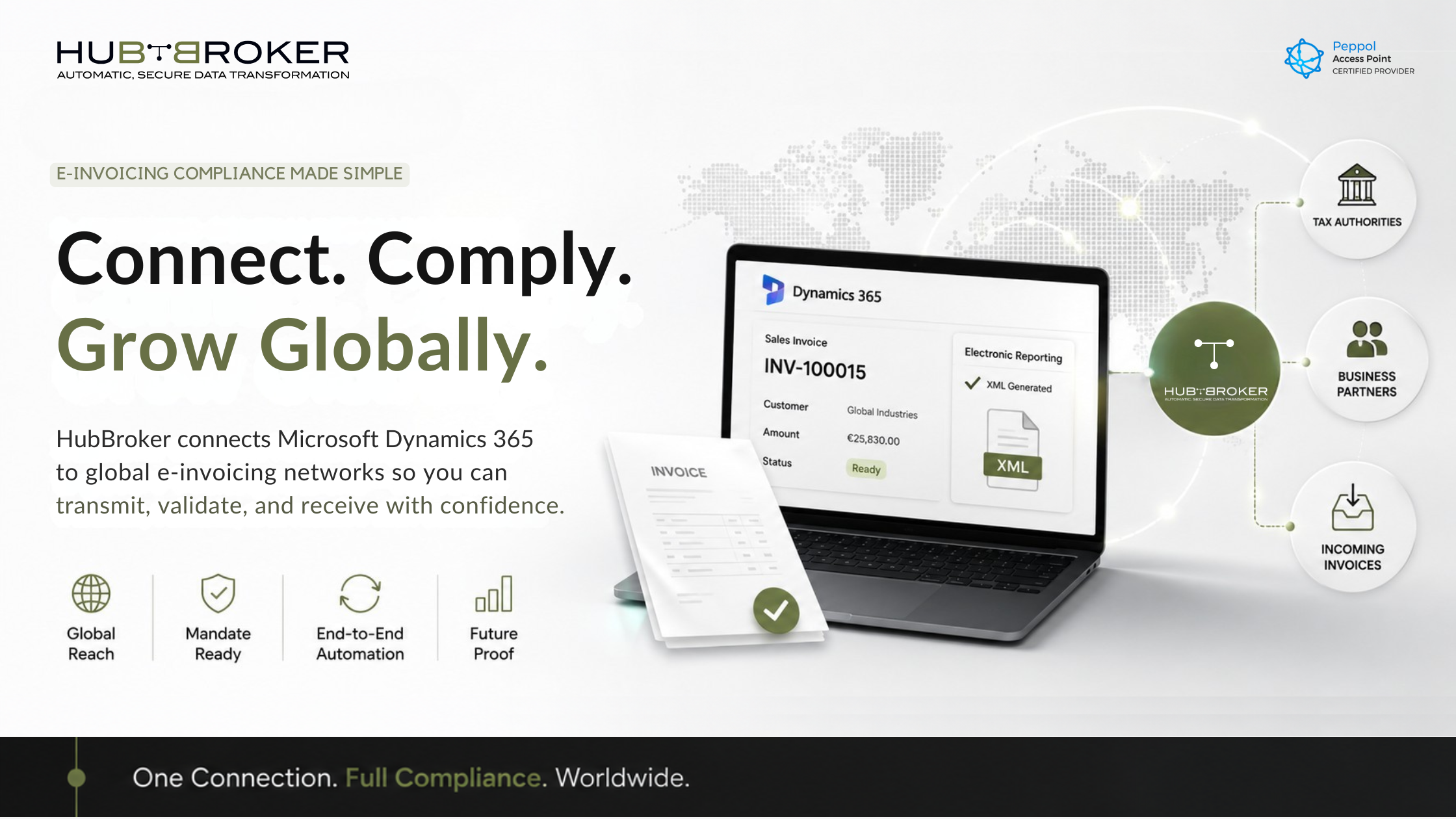
Close Microsoft Dynamics 365 e-invoicing compliance gaps with HubBroker automation, validation and Peppol support.
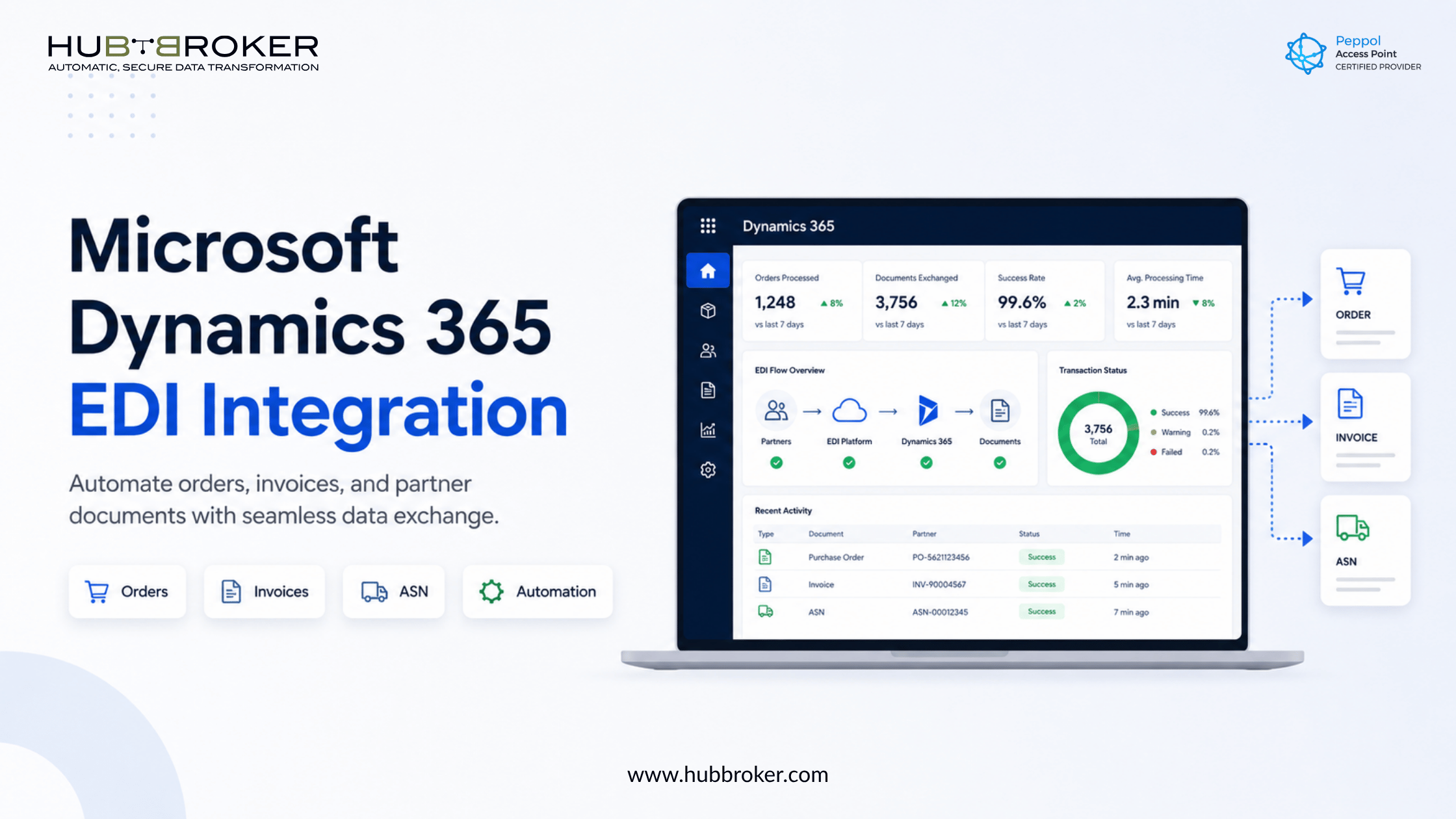
Automate orders, invoices, and partner documents with Microsoft Dynamics 365 EDI integration. Reduce manual work, errors, and processing delays.
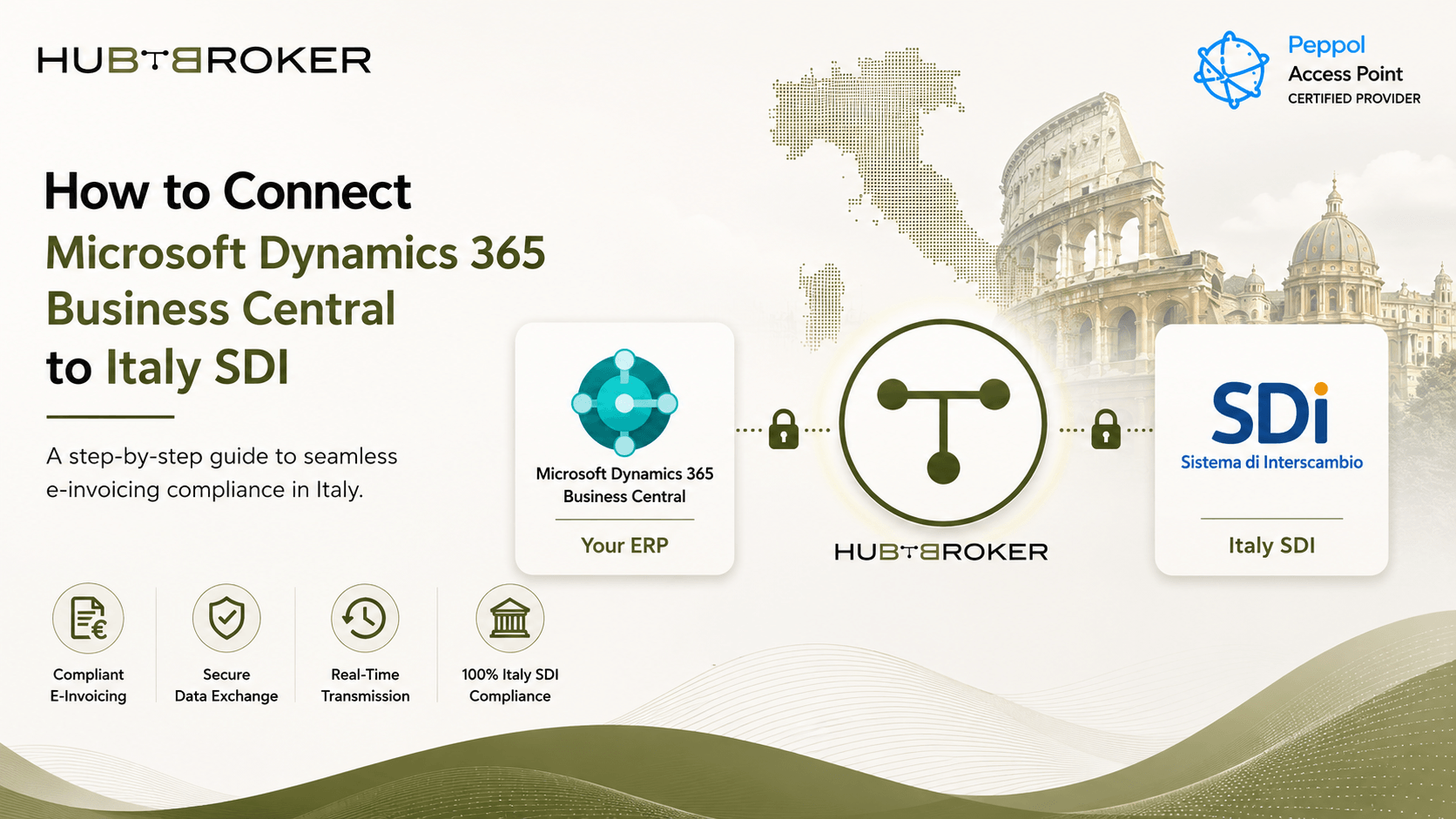
Connect Microsoft Dynamics 365 Business Central with Italy SDI easy. Learn how HubBroker help send e-invoices, stay compliant and make invoicing simple.
HubBroker solutions support businesses across industries where reliable data exchange, automation, compliance, and partner connectivity are essential.
Support fast-moving order, invoice, inventory, and marketplace workflows with automated document and system integrations.
Help manufacturers connect suppliers, customers, ERP systems, and logistics partners for smoother production and supply chain operations.
Enable structured data exchange for shipping, delivery, tracking, invoicing, and partner communication across logistics networks.
Support secure and accurate document exchange where compliance, reliability, and process efficiency are critical.
Help financial businesses improve document processing, data accuracy, reporting flows, and secure business communication.
Automate order-to-cash and procure-to-pay workflows across customers, suppliers, warehouses, and ERP systems.
Yes. HubBroker connects Business Central with retailers, suppliers, and trading partners through EDI. The integration automates purchase orders, confirmations, shipping notices, and invoices while mapping incoming and outgoing documents to Business Central workflows.
HubBroker allows businesses to connect Microsoft Dynamics 365 Business Central to multiple trading partners through one integration platform. Reusable mappings and partner configurations simplify onboarding and reduce the need for separate EDI integrations.
Business Central EDI integration costs vary based on trading partner connections, document types, transaction volumes, and implementation requirements. HubBroker offers tailored integration solutions, with pricing available after reviewing the business's technical needs.
Yes. HubBroker enables Peppol invoicing from Microsoft Dynamics 365 Business Central through its certified Peppol Access Point. Businesses can send and receive structured invoices, apply validation rules, and automate electronic invoicing workflows.
HubBroker connects Business Central with eCommerce platforms, warehouse systems, and EDI trading partners. Businesses can synchronize orders, inventory, customer information, and invoices to reduce duplicate entries and maintain consistent data across applications.
Share your Business Central version, trading partners, document requirements, and connected applications with HubBroker. Its team can assess the integration and recommend an appropriate implementation approach. Book a free demo to discuss pricing.
45B 1260 Bredgade , København K Capital Region, Denmark
D-1010, The First, B/H ITC Narmada, Ahmedabad, Gujarat, 380015, India