
15+
Years Experience











15+
Years Experience
120K+
Monthly Transition
100+
Global Clients
40+
Countries
Manual entry of orders and invoices into the ERP system
Trading partner documents handled outside the ERP
One-off ERP integrations built for each new partner
Delays in order, dispatch, and invoicing inside the ERP
Gaps in Peppol, tax, and audit coverage from the ERP
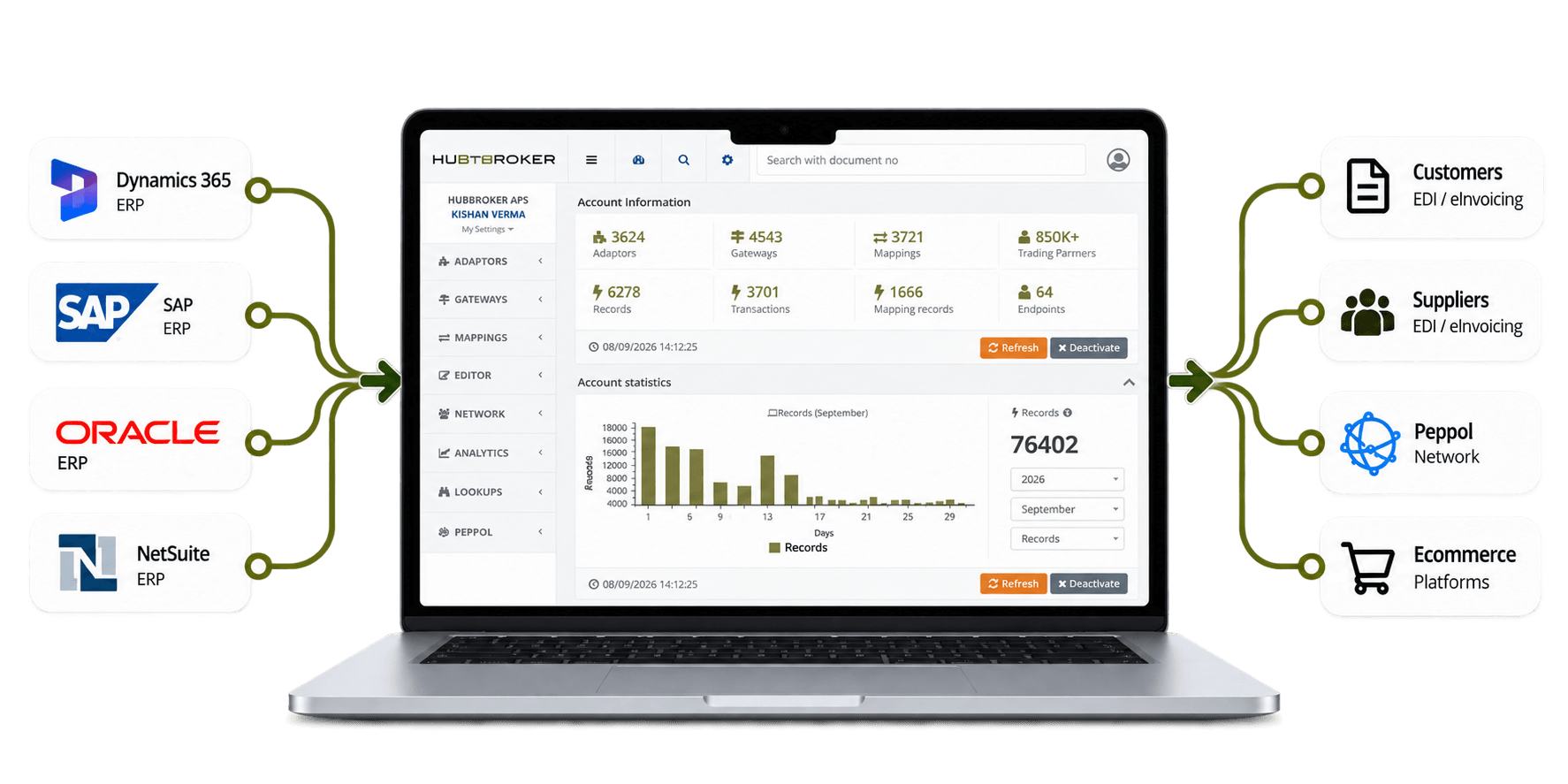
Orders and invoices flow directly into and out of your ERP
Built-in validation against format and partner rules
Standard ERP mappings and templates speed up onboarding
Documents move into ERP fast, accelerating invoicing flow
Certified Peppol Access and audit trails inside the ERP
Let's schedule a demo and discover how our integration platform connects your apps and automates processes.
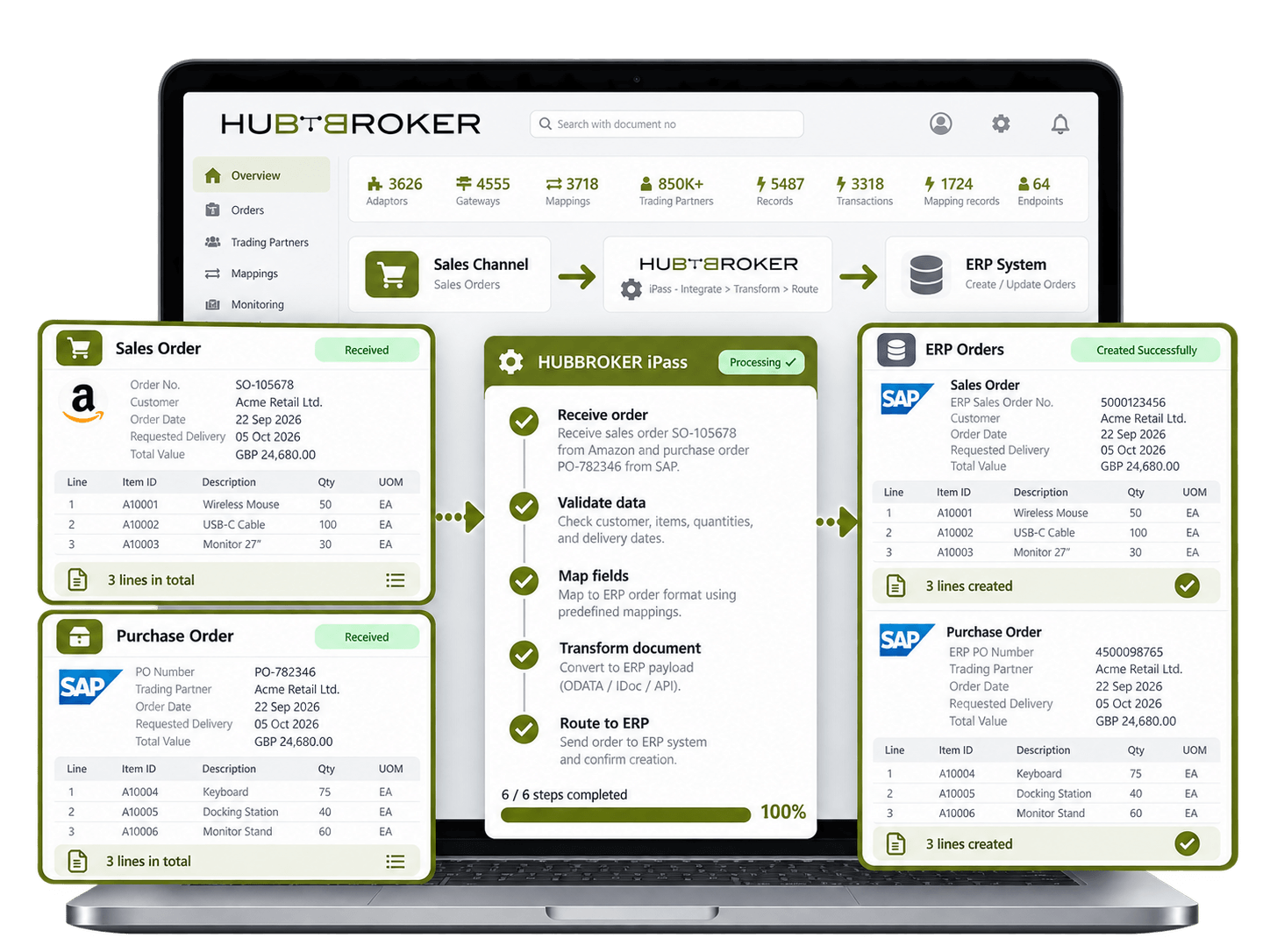
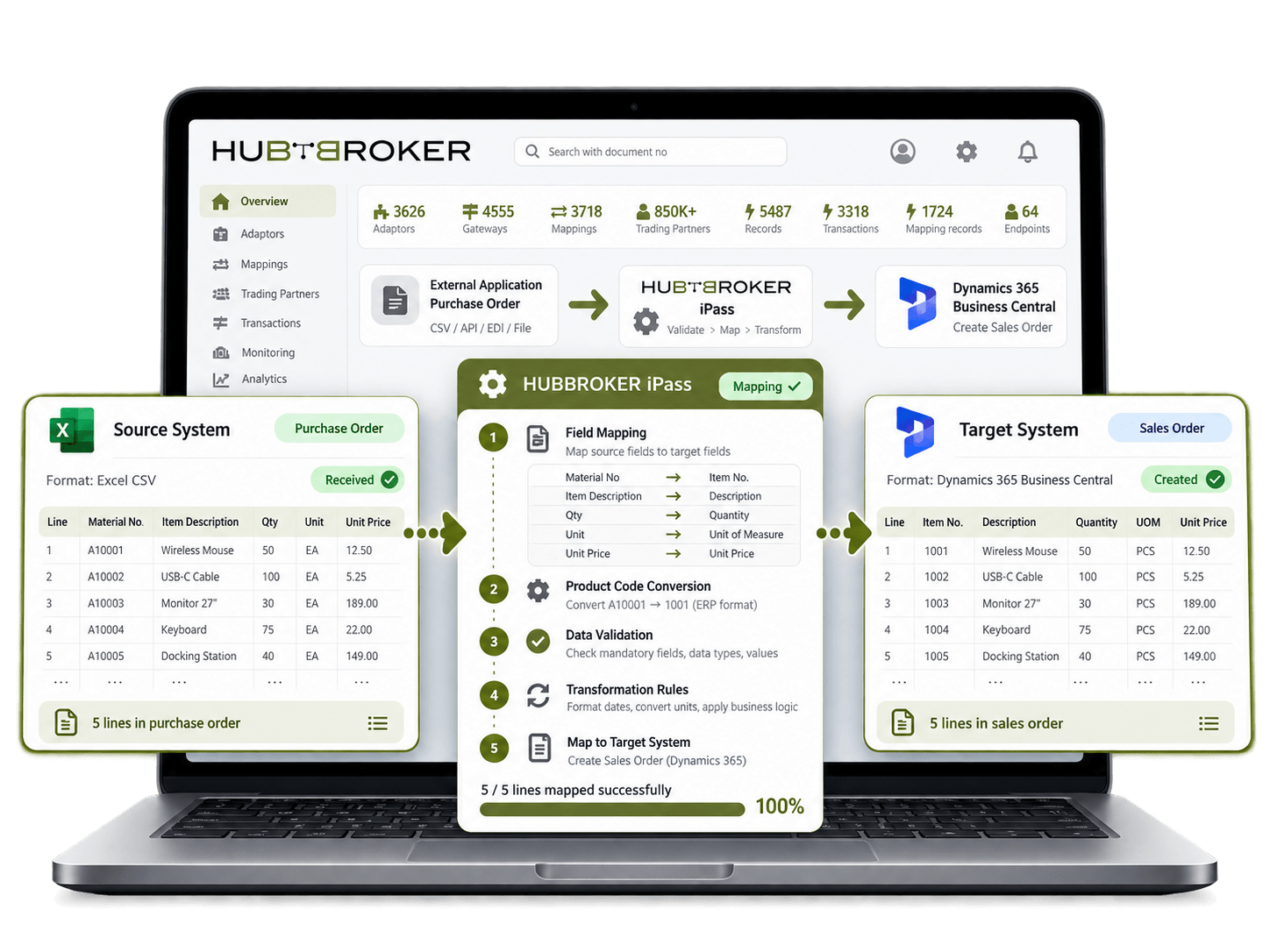
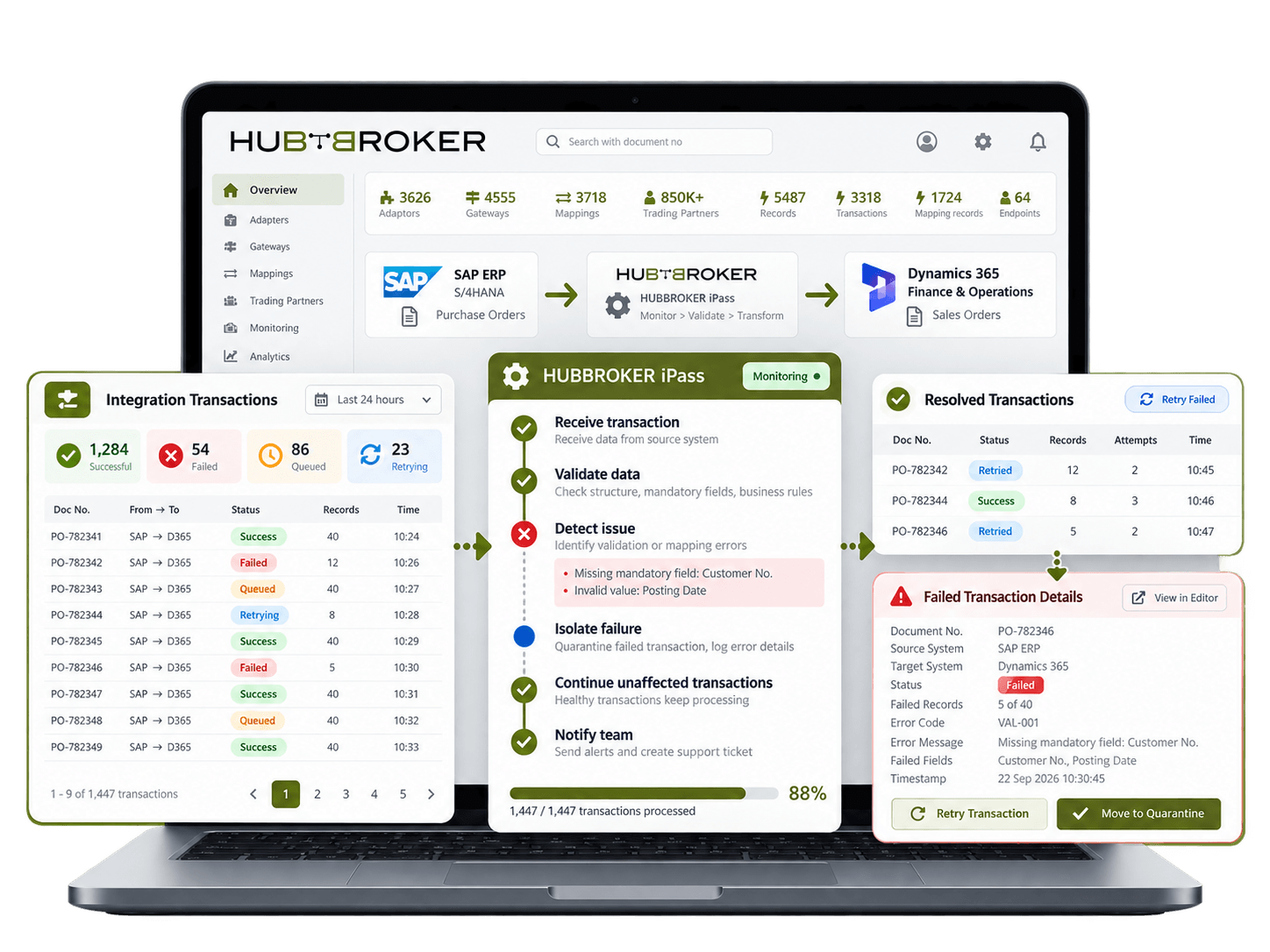
Move sales and purchase orders between your ERP and connected business systems so teams can process transactions without retyping customer, item, quantity and delivery information.
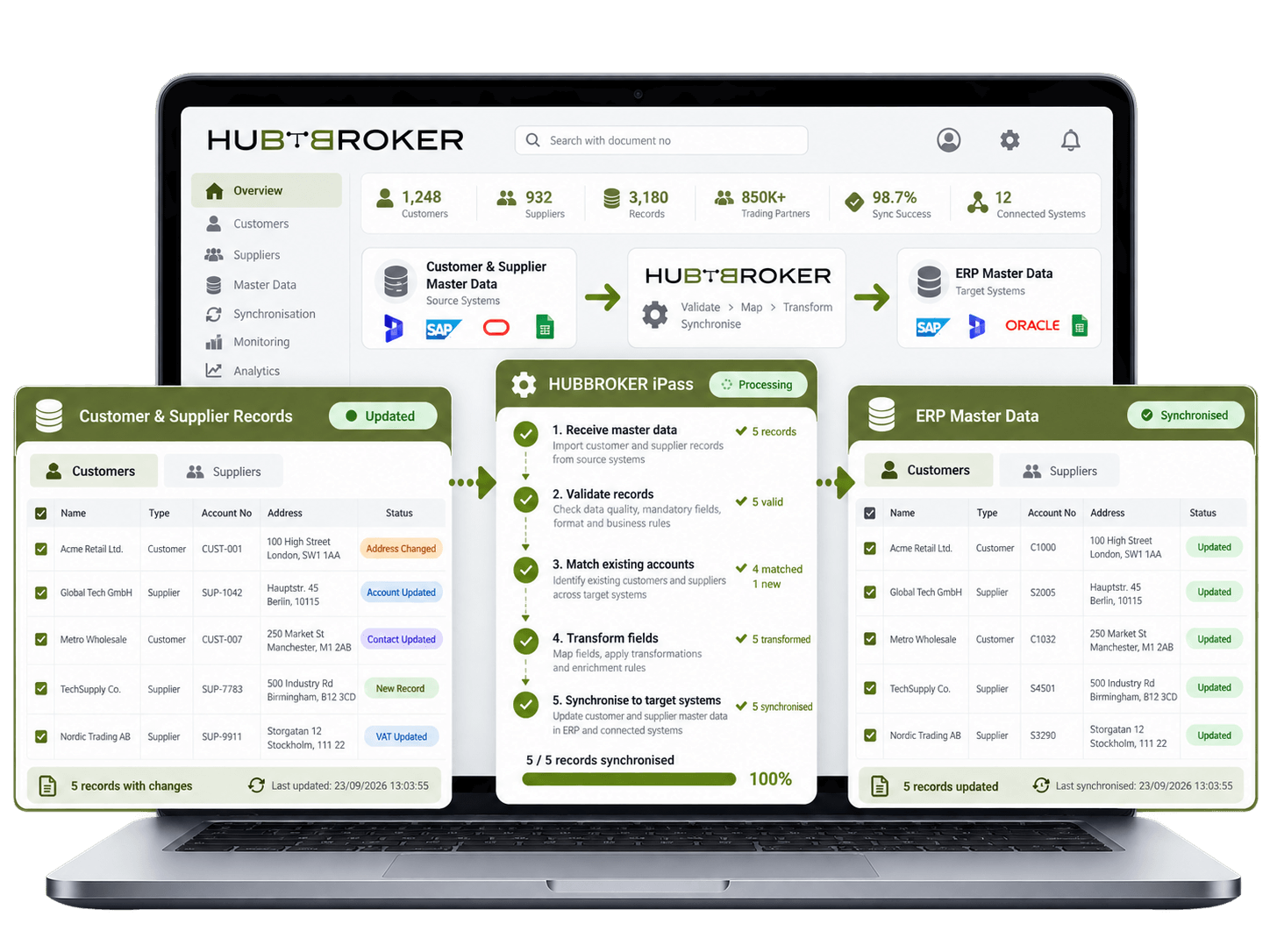
Keep customer and supplier records consistent across your ERP and connected platforms. Changes to addresses, account details or references can be shared without updating every system manually.
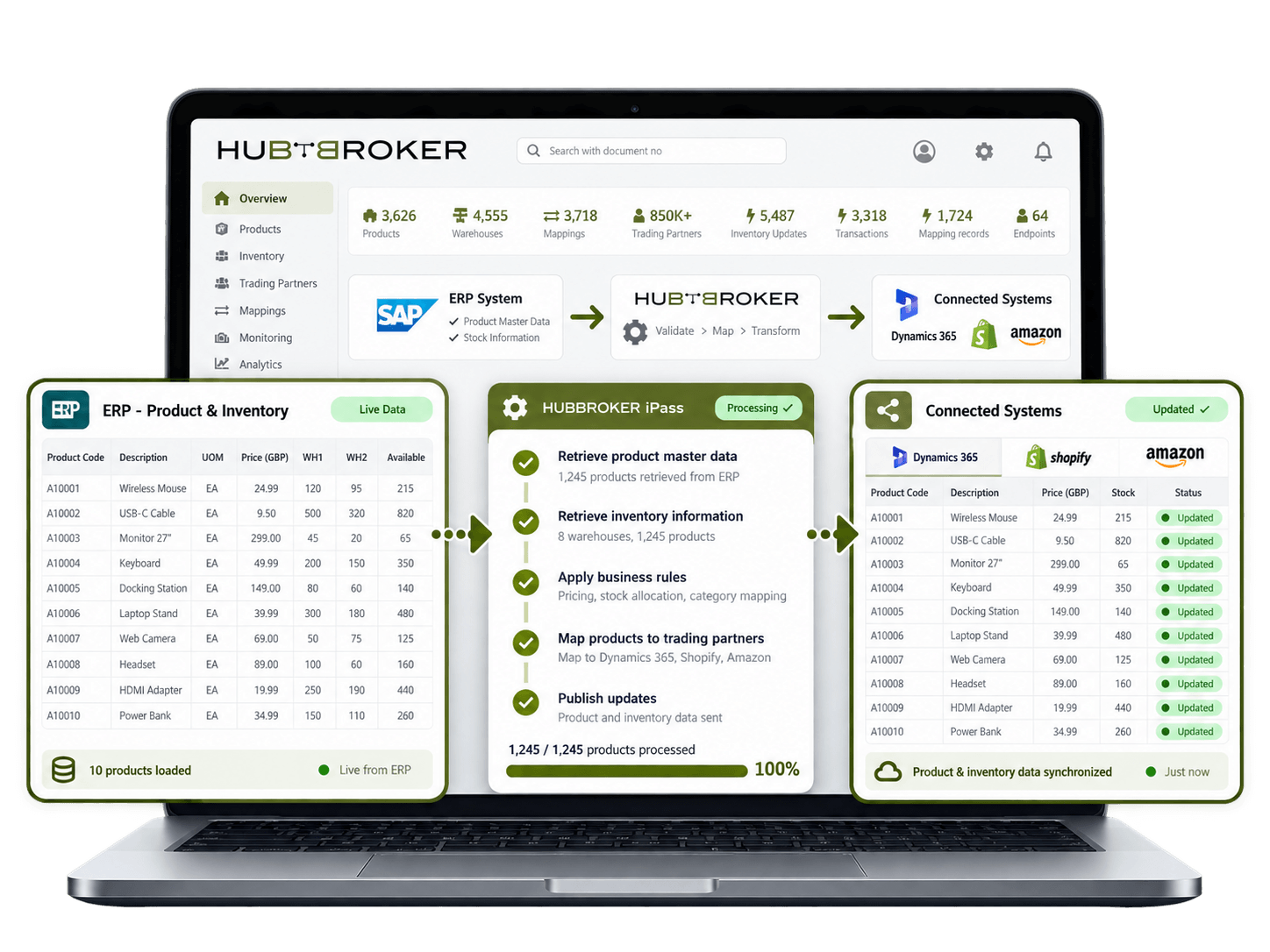
Share product codes, descriptions, units and stock levels between your ERP and sales or warehouse systems so users can work with consistent item data and current inventory information.
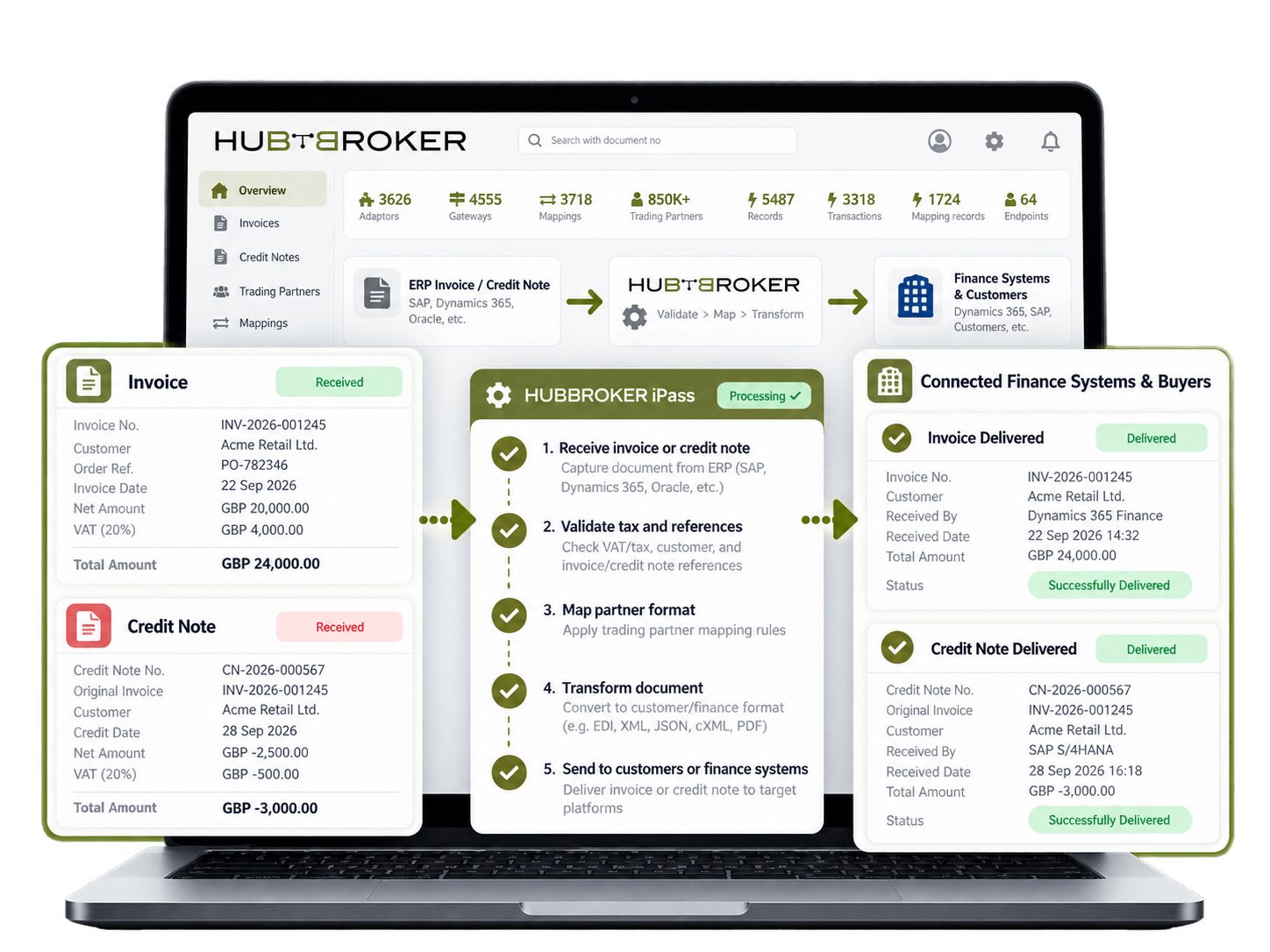
Exchange invoices and credit notes between your ERP, customers and connected finance systems while preserving document numbers, tax values and references needed for accounting and reconciliation.
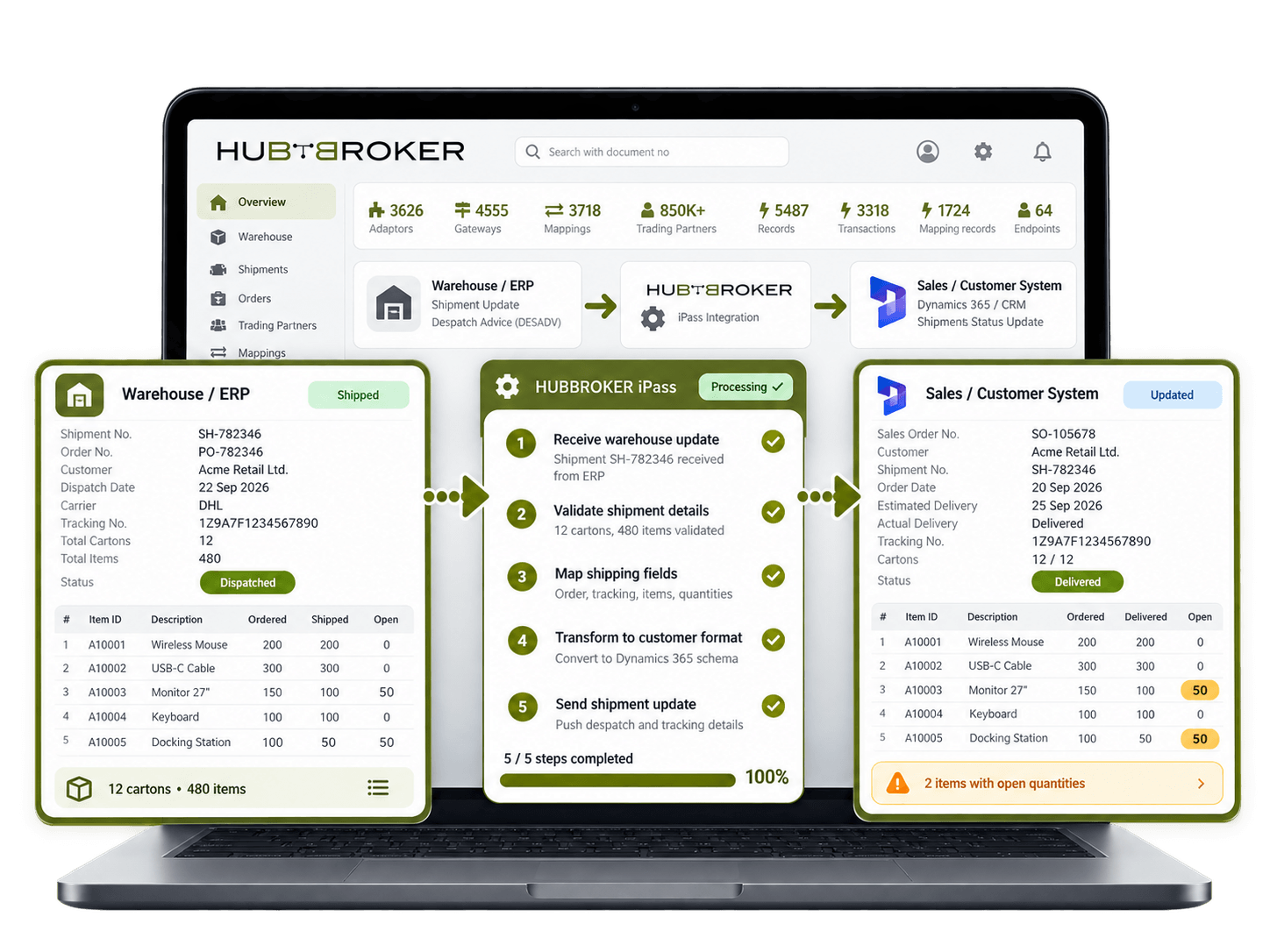
Share picking, dispatch and delivery information between your ERP and warehouse or sales systems so teams can see what has shipped, what remains open and which orders need attention.
Map fields, product codes and document structures between your ERP and external applications so each system receives data in the format and structure required for normal business processing.
Track successful and failed transactions across connected ERP flows so your team can identify missing data, rejected records or connection issues while unaffected transactions continue processing.
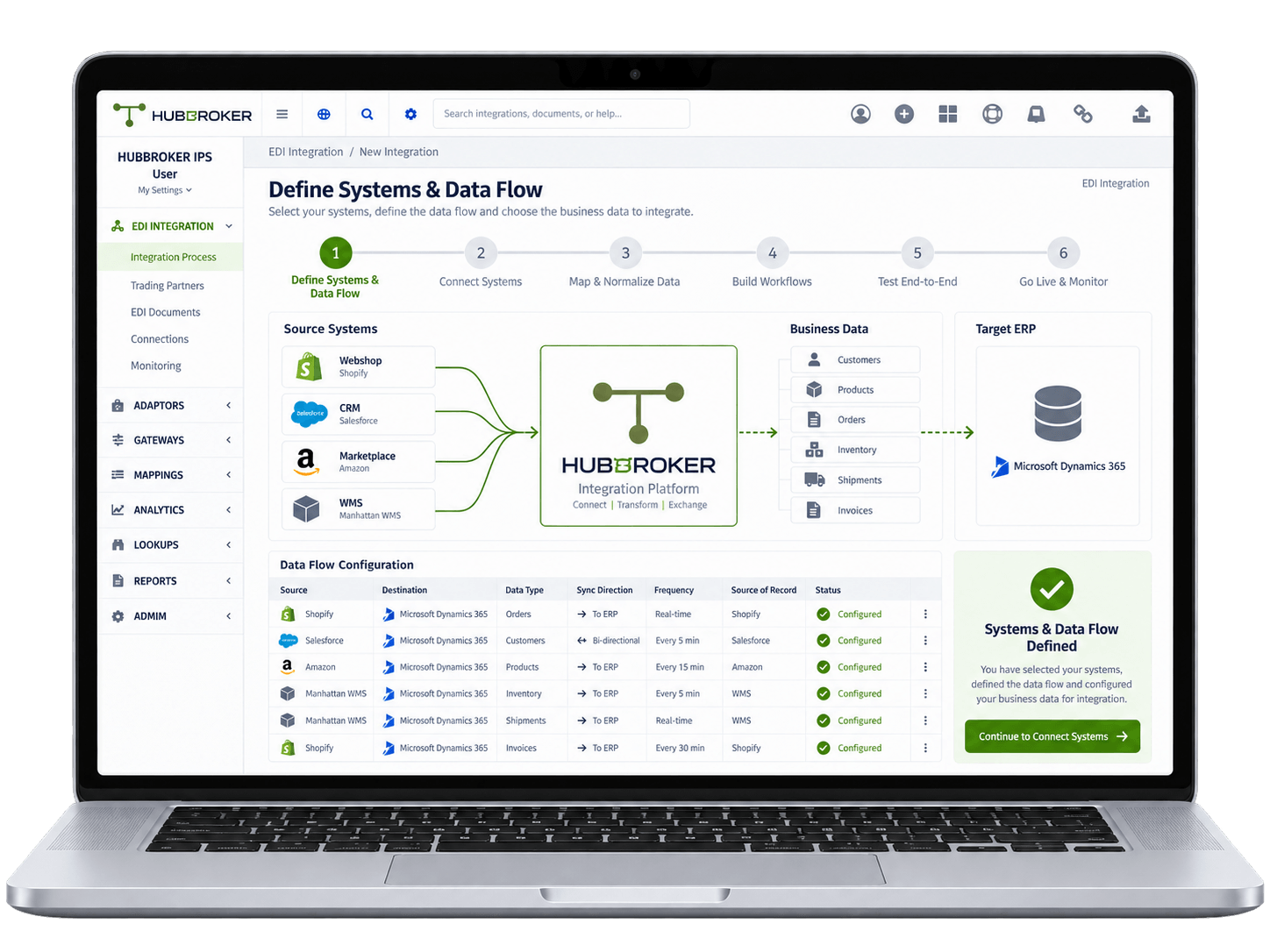
First, identify which systems need to connect with the ERP and what business data should move between them, such as customers, products, orders, inventory, shipments, and invoices. Define where each data comes from, where it needs to go, whether the flow is one-way or two-way, and how often the information should be updated.
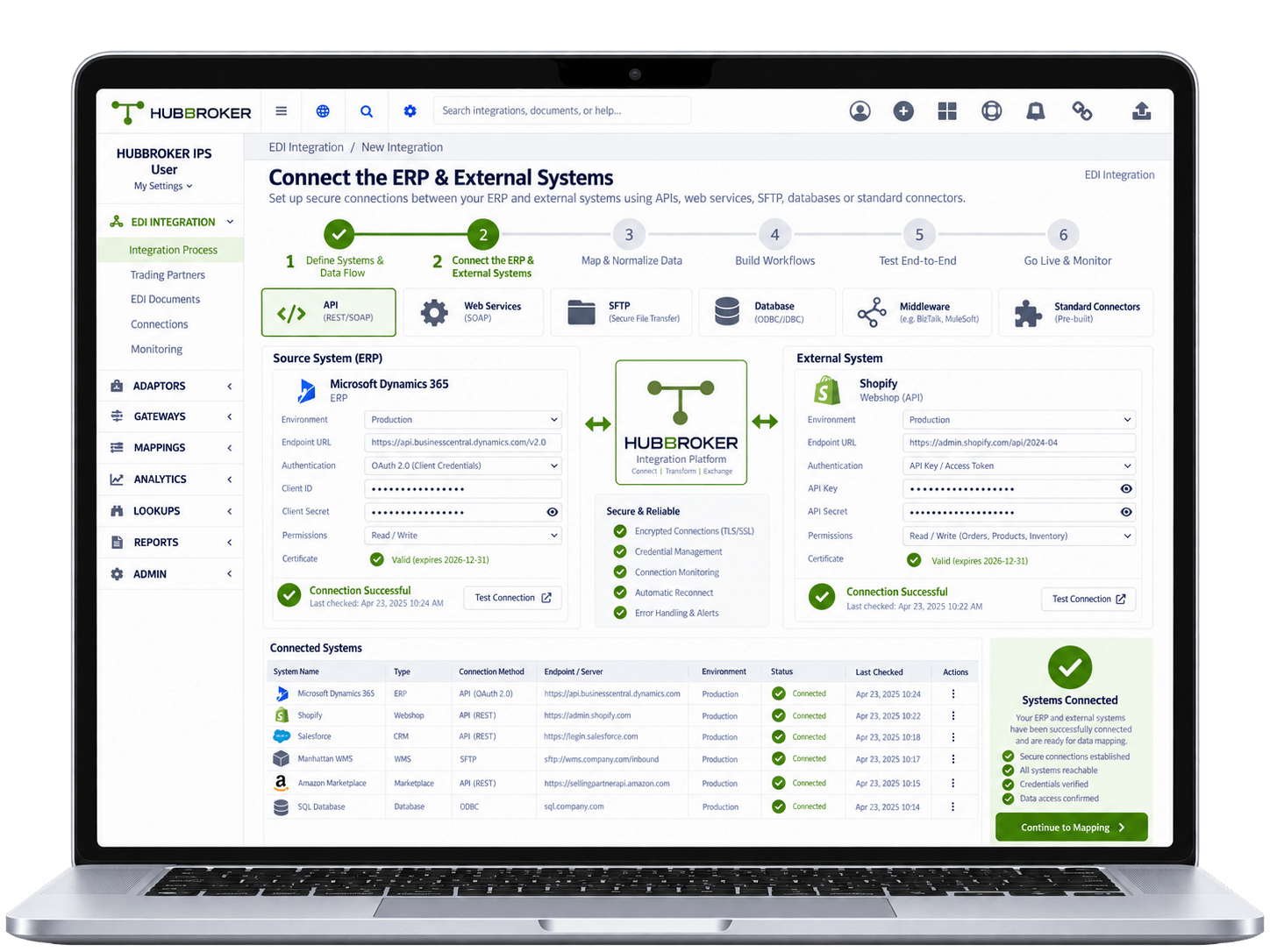
Connect the ERP with external applications using APIs, web services, SFTP, databases, middleware, standard connectors, or another supported integration method. Set up the required credentials, endpoints, permissions, test environments, and system access so data can move securely between the connected applications.
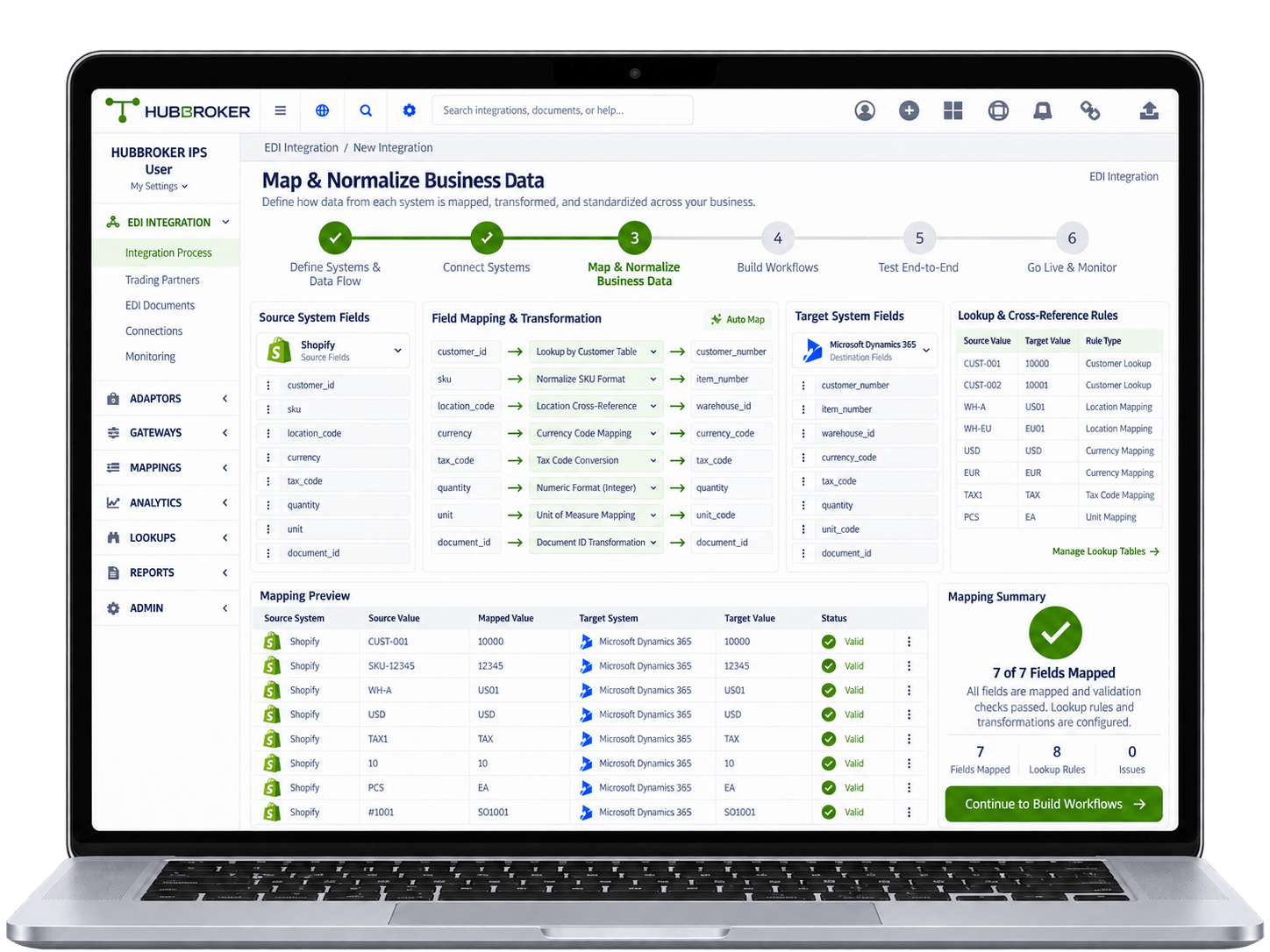
Match the fields used by both systems so customer numbers, SKUs, warehouse locations, currencies, tax codes, quantities, and document IDs are connected correctly. Different systems may use different codes or names for same customer, product, or location, so lookup and cross-reference rules may also be needed.
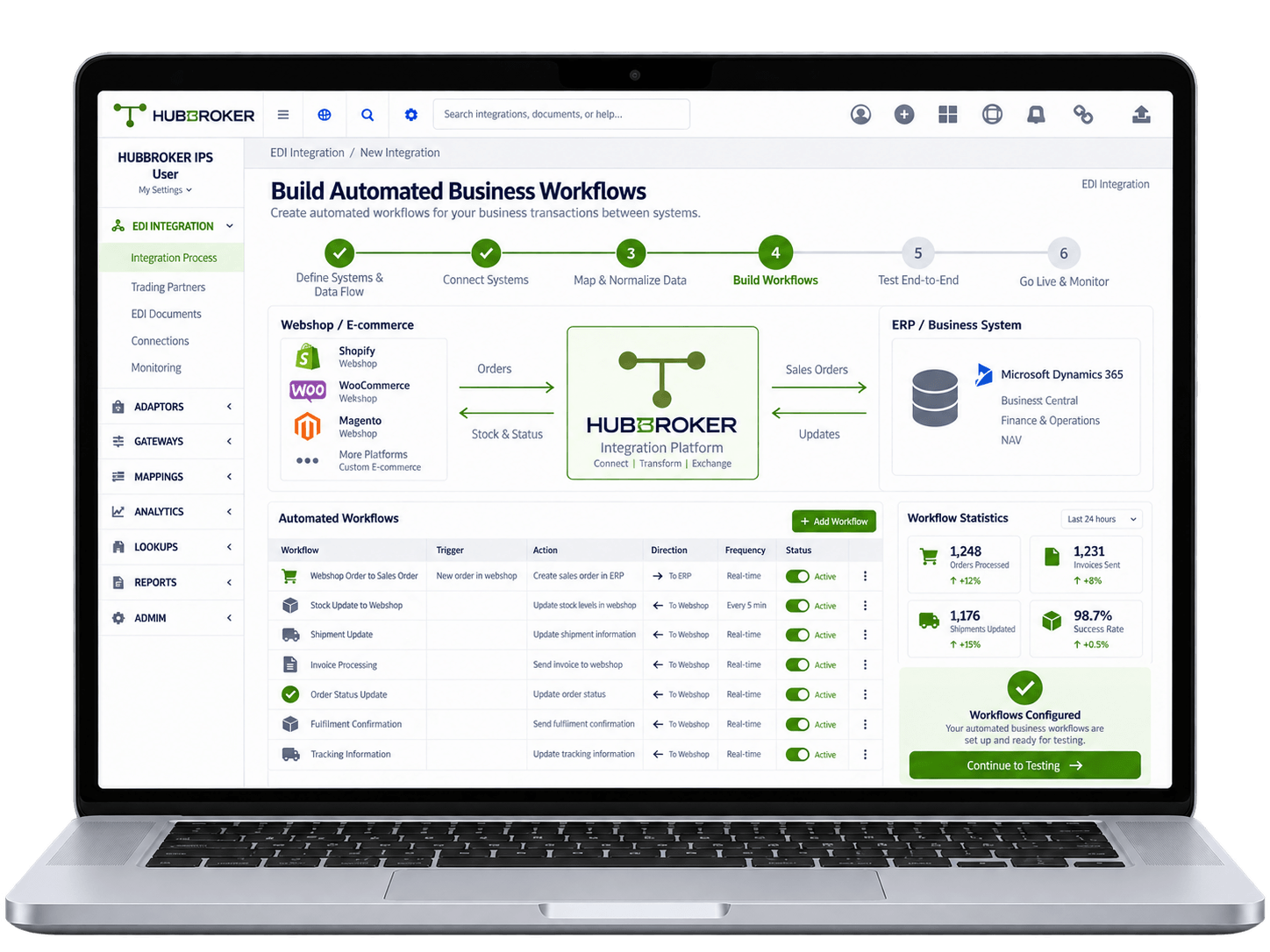
Configure how real business transactions should move between the connected systems based on the actual process your company uses. For example, a webshop order can create a sales order in ERP, ERP stock can update the webshop, and warehouse shipments can update order information back in ERP.
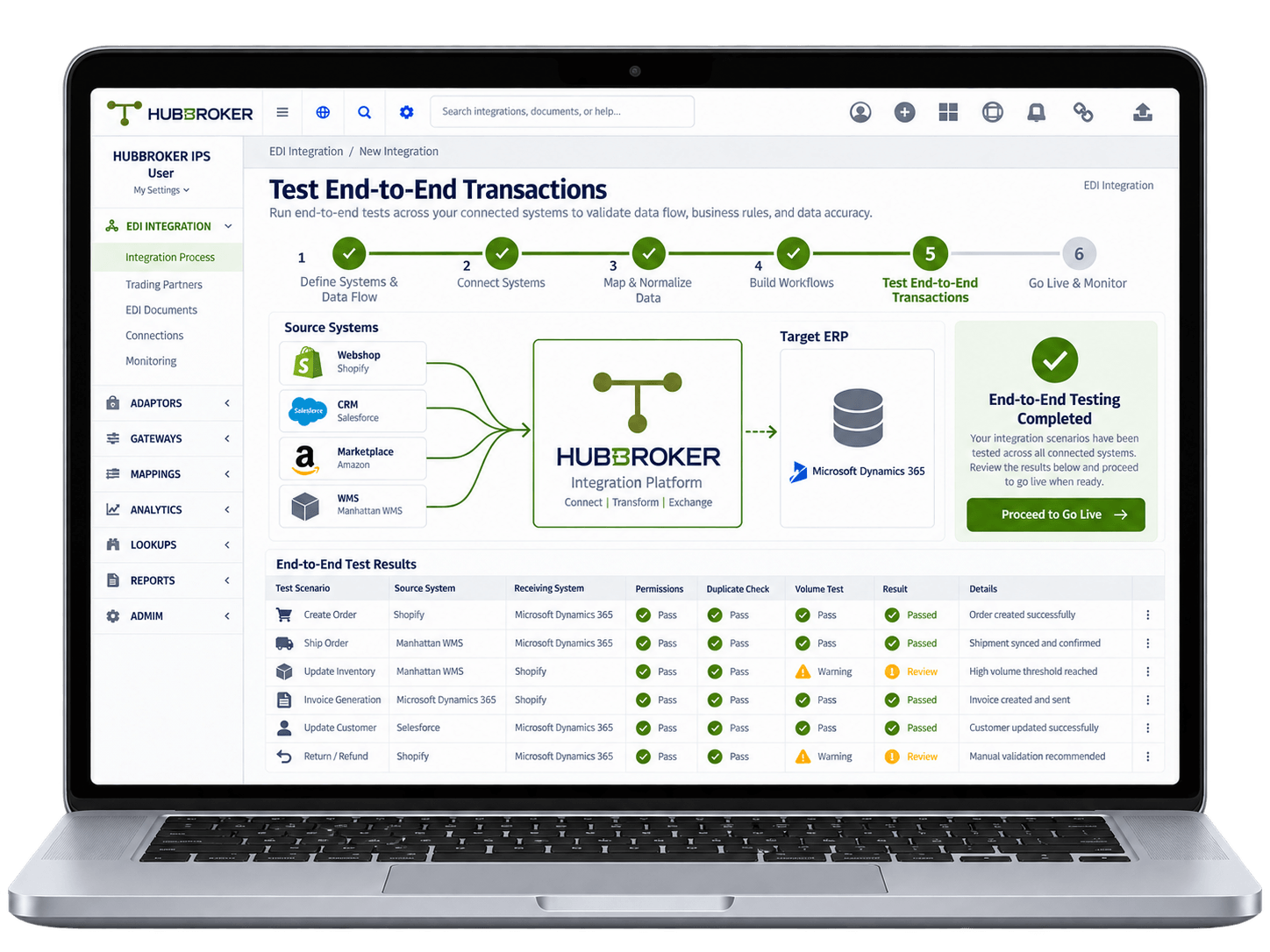
Run realistic business transactions through every connected system to make sure the complete integration works properly from start to finish. Check field mappings, system permissions, duplicate records, transaction volumes, failed requests, and how the receiving system processes the data.
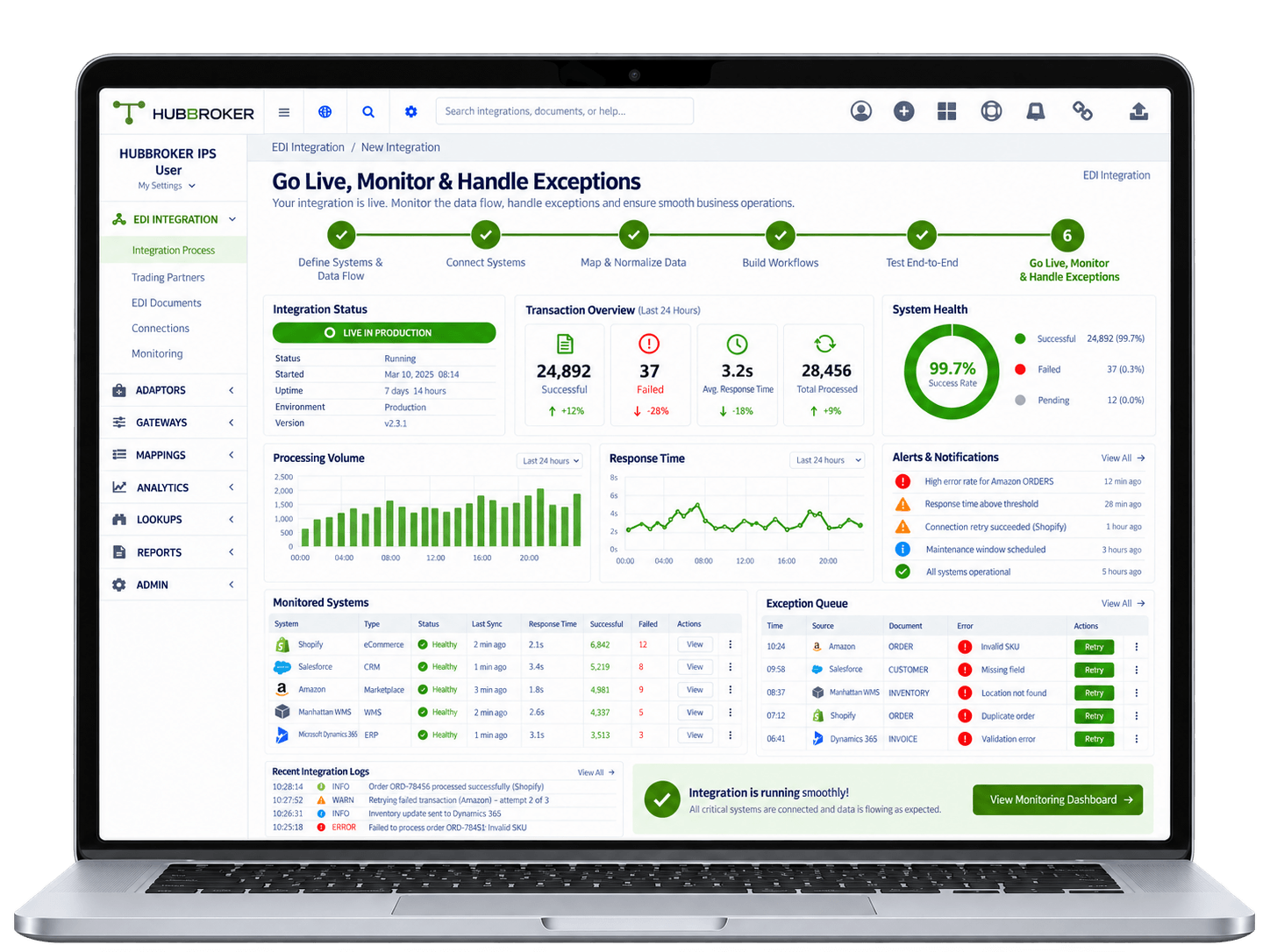
Once testing is completed and approved, move the integration into production and start processing real business transactions. Monitor synchronization status, processing times, failed transactions, system responses, and other integration activity so problems can be found quickly.









Customer orders, supplier invoices, and dispatch documents flow into your ERP automatically, so finance and operations teams stop rekeying the same data across multiple business systems.
Orders received via EDI land directly in your ERP sales documents, so confirmation, picking, dispatch, and invoicing all start sooner, helping the business respond faster to demand.
Customer, supplier, and item data is validated as part of every EDI exchange, so your ERP stays clean and reporting reflects the true state of customer and supplier activity over time.
New customers, suppliers, and retailers can be added to your ERP EDI flow without custom development, using reusable mappings, partner profiles, and predefined document templates.
Send and receive Peppol-compliant e-invoices and orders directly from your ERP, meeting B2G and EU mandates without separate portals, manual uploads, or third-party invoicing tools added.
Track every EDI document, status, and exception from within your ERP context with logs, audit trails, and dashboards, so finance, IT, and operations teams share one accurate view.













Our integration follows how real ERPs actually handle sales, purchasing, inventory, and posting, so your team is not forced into workarounds or parallel systems for daily document work.
Pre-built connectors for Business Central, SAP B1, D365 F&O;, Visma e-conomic, Uniconta, Rackbeat, and others let you go live faster than a custom-built ERP integration usually allows.
ERP EDI customers get certified Peppol Access Point connectivity included, so e-invoicing, B2G mandates, and EU regulatory needs are handled inside the same integration setup.
Our ERP EDI projects follow a documented path from requirement review through testing and go-live, so IT, finance, and operations stakeholders share clear timelines and scope.
Teams in Denmark and India support ERP EDI customers directly on partner onboarding, format changes, and ERP-side issues, giving you a single point of contact rather than handoffs.
ERP integration covers EDI, intelligent document processing, Peppol e-invoicing, and ERP API integration through the same HubBroker platform, so automation grows with the business.

ERIKS is a globally recognized industrial service provider with over 80 years of experience in delivering technical products, engineering expertise, and tailored services.
Read More
Orkla House Care Europe, a division of Orkla ASA, is a leading manufacturer and distributor of high-quality painting tools for both professionals and DIY users. Operating across Sweden, Denmark, Norway, and the UK.
Read More
Ammega Group, through its Megadyne division, is a global leader in the manufacturing and distribution of power transmission belts and industrial conveyor solutions.
Read More
TDC Brands is a Danish telecommunications group, home to six brands: YouSee, TDC Erhverv, Telmore, Hiper, eesy and Relatel.
Read More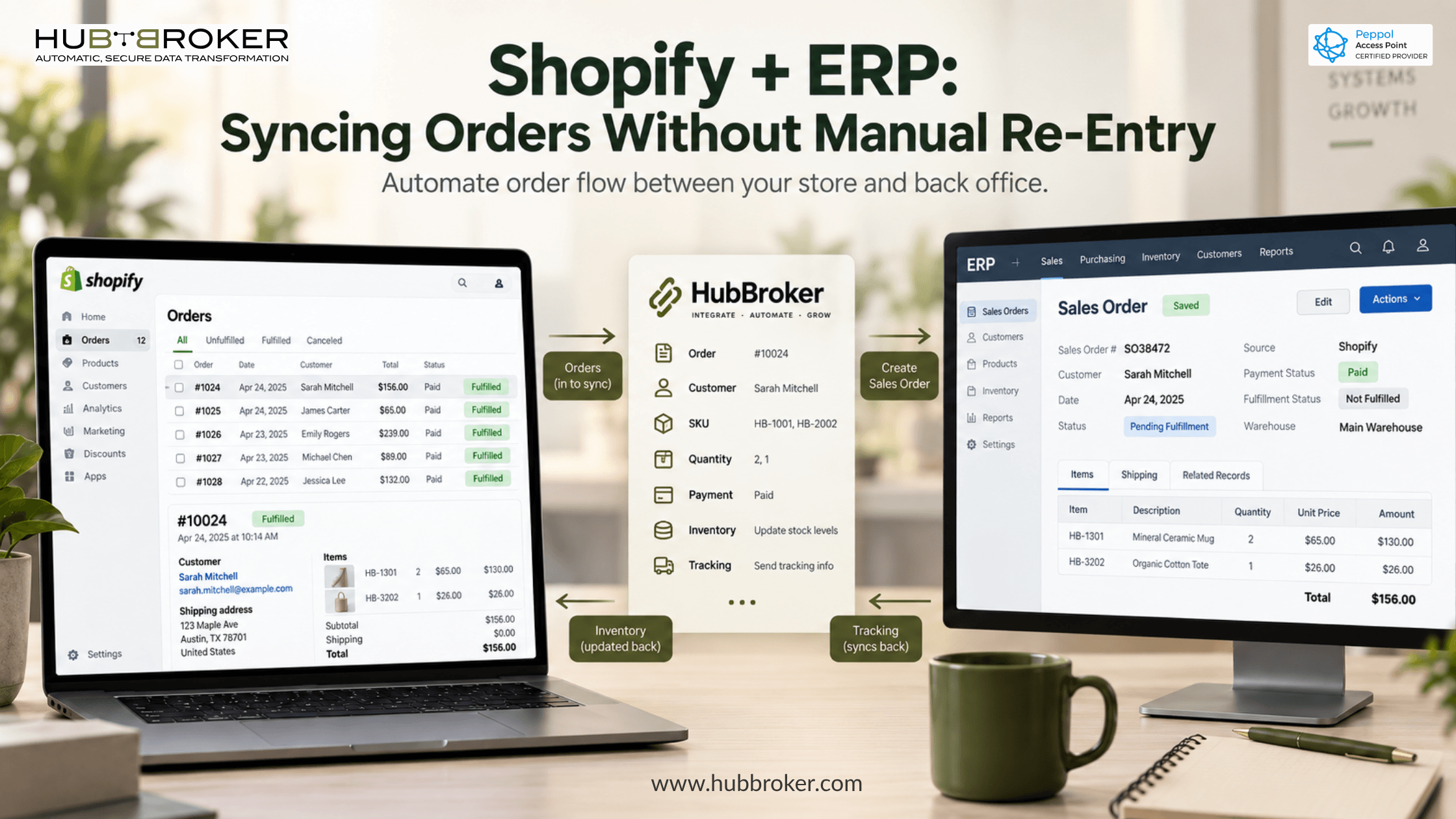
Manual order entry between Shopify and your ERP leaks margin. See what a Shopify ERP integration syncs, the three approaches, and what to fix first.

Compare SAP integration services, delivery models, core capabilities, and provider selection criteria for reliable ERP, EDI, API and application connectivity.
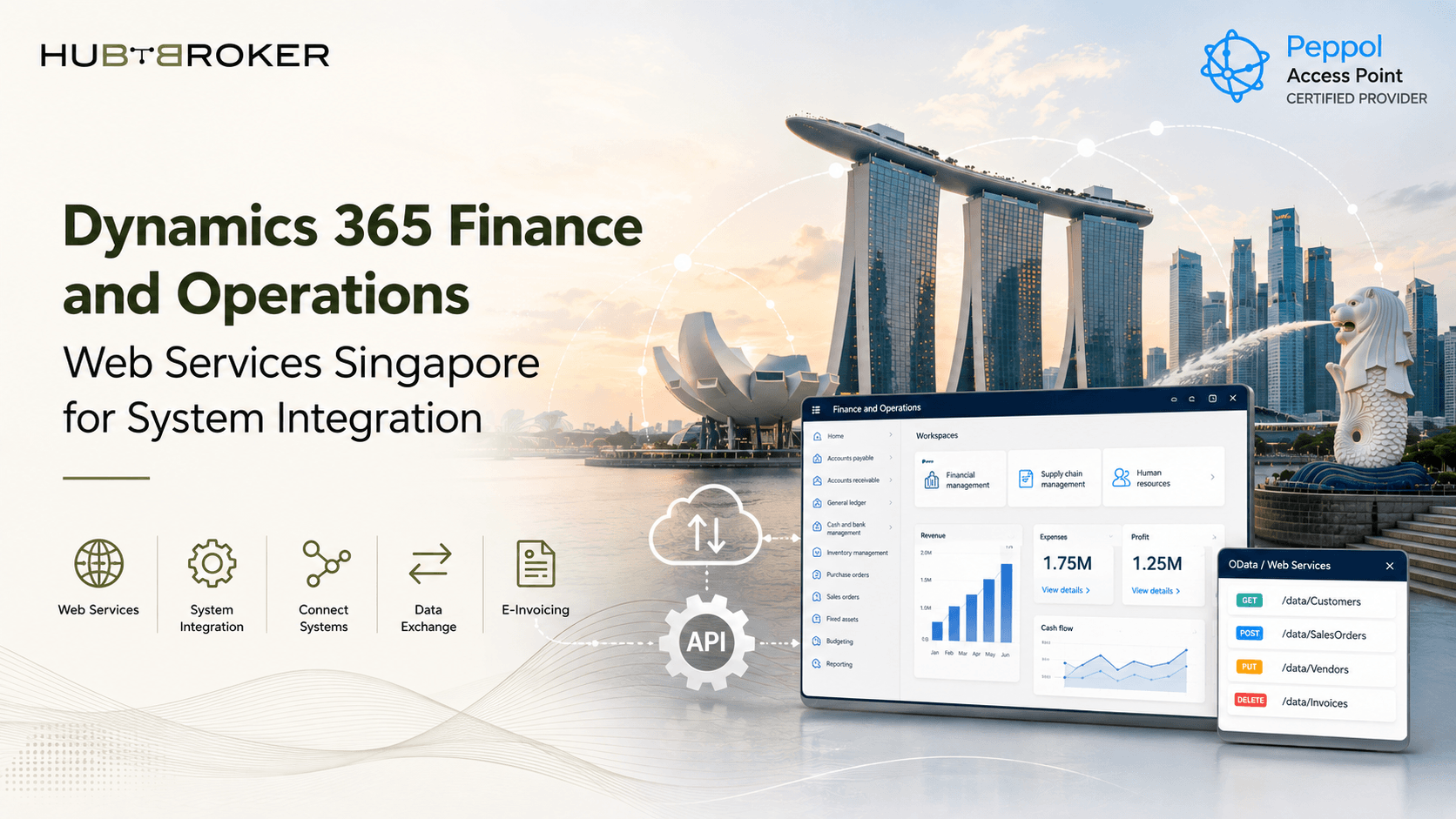
Explore Dynamics 365 Finance and Operations web services in Singapore for secure application integration automated data exchange and ERP connectivity.
Technology alone does not guarantee outcomes; success depends on execution across four critical areas: leadership, data, business processes, and governance. Organizations that prioritize these pillars reduce risk, accelerate adoption, and increase the likelihood of lasting results.
ERP integration is the process of connecting an Enterprise Resource Planning (ERP) system—which manages core business operations like accounting, HR, and inventory—with other third-party software. It bridges disparate tools to automate workflows, eliminate manual data entry, and establish a single, unified source of truth across an organization.
An ERP (Enterprise Resource Planning) integration connects your central ERP database with other business applications (like CRM or e-commerce) so data flows automatically. This eliminates manual data entry, prevents errors, and creates a "single source of truth" across departments.
HubBroker solutions support businesses across industries where reliable data exchange, automation, compliance, and partner connectivity are essential.
Support fast-moving order, invoice, inventory, and marketplace workflows with automated document and system integrations.
Help manufacturers connect suppliers, customers, ERP systems, and logistics partners for smoother production and supply chain operations.
Enable structured data exchange for shipping, delivery, tracking, invoicing, and partner communication across logistics networks.
Support secure and accurate document exchange where compliance, reliability, and process efficiency are critical.
Help financial businesses improve document processing, data accuracy, reporting flows, and secure business communication.
Automate order-to-cash and procure-to-pay workflows across customers, suppliers, warehouses, and ERP systems.
Bredgade 45B 1260 , København K Capital Region, Denmark
D-1010, The First, B/H ITC Narmada, Ahmedabad, Gujarat, 380015, India