

15+
Years Experience











15+
Years Experience
120K+
Monthly Transition
100+
Global Clients
40+
Countries
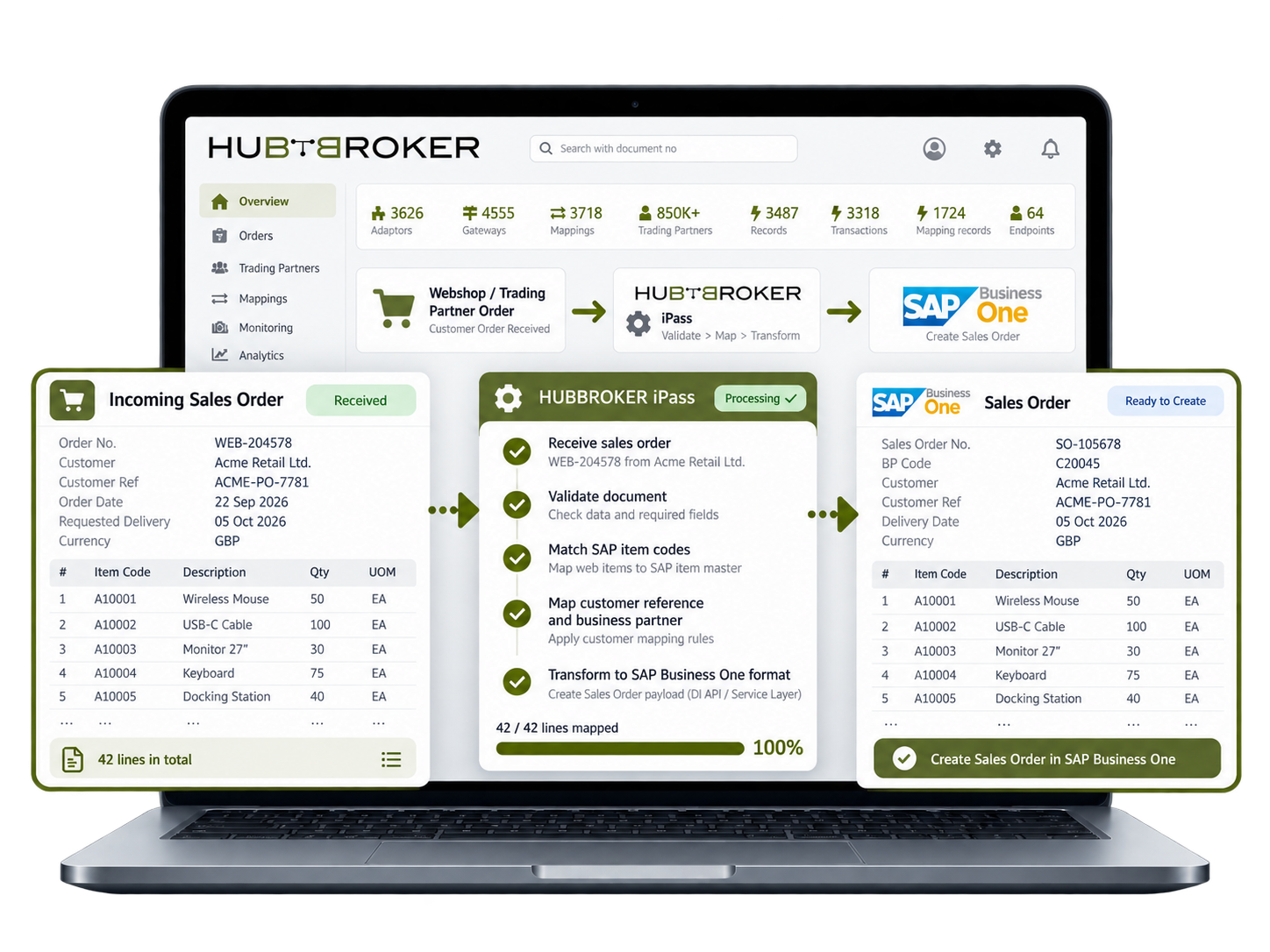
Bring webshop and trading partner orders into SAP Business One with item codes, quantities and customer references. A distributor can review a complex repeat order without copying every line into SAP.
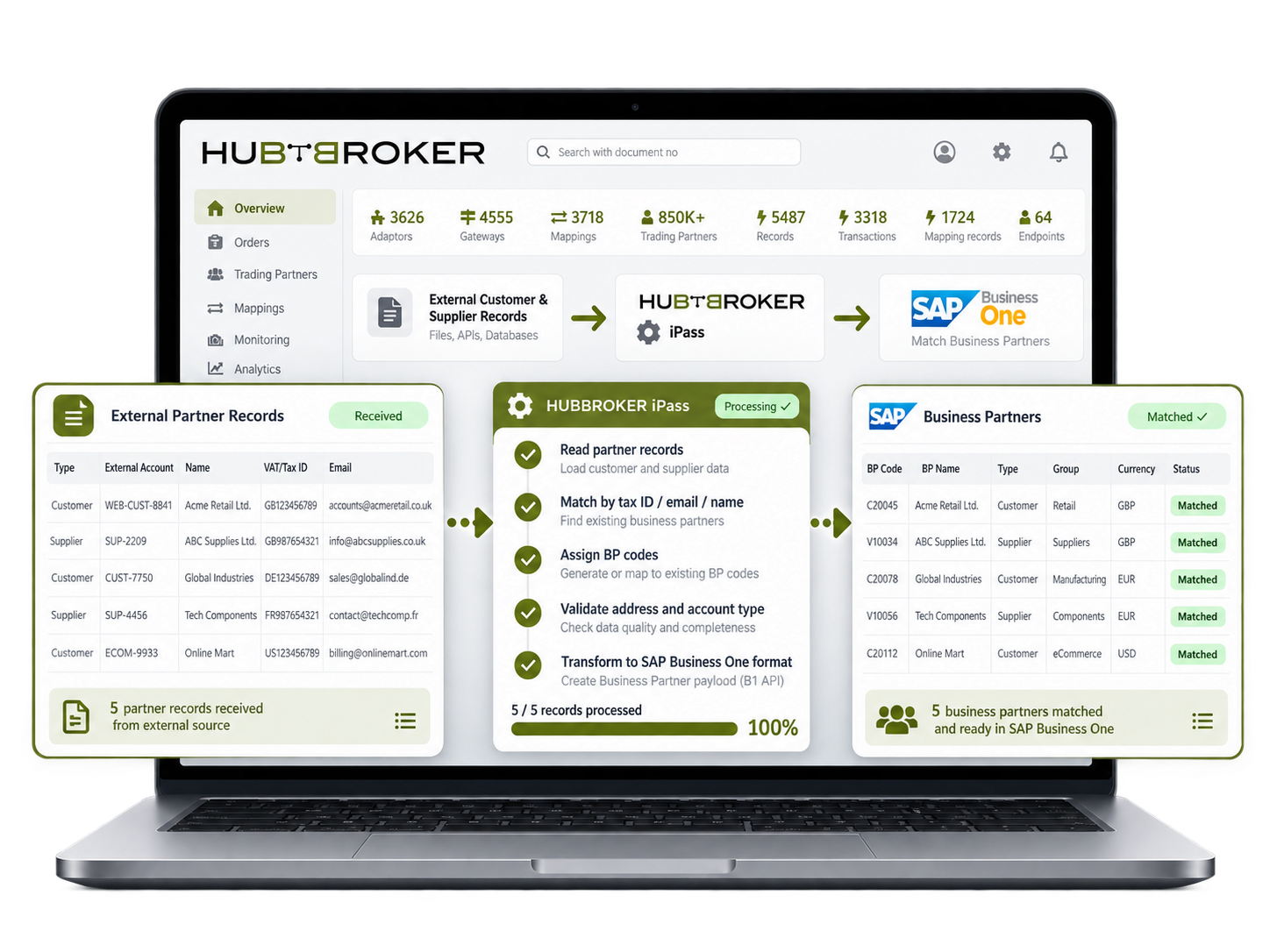
Link external customer and supplier records to SAP Business One business partner codes. A trade buyer with a separate account number online can still have its orders assigned to the right SAP account.
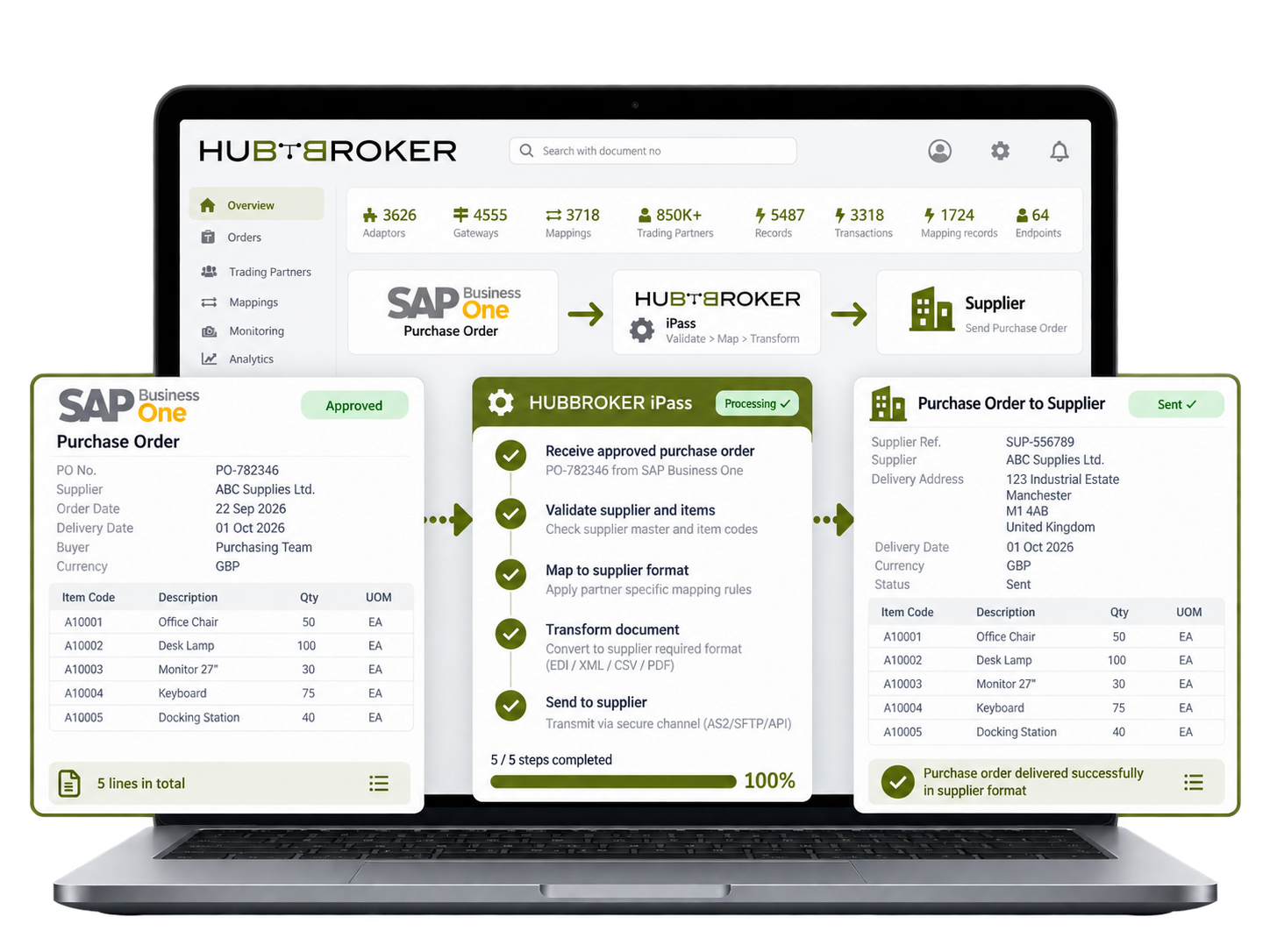
Send SAP Business One purchase orders to linked suppliers with item codes, quantities and delivery details. A purchasing team can share an approved replenishment order without preparing a second copy.
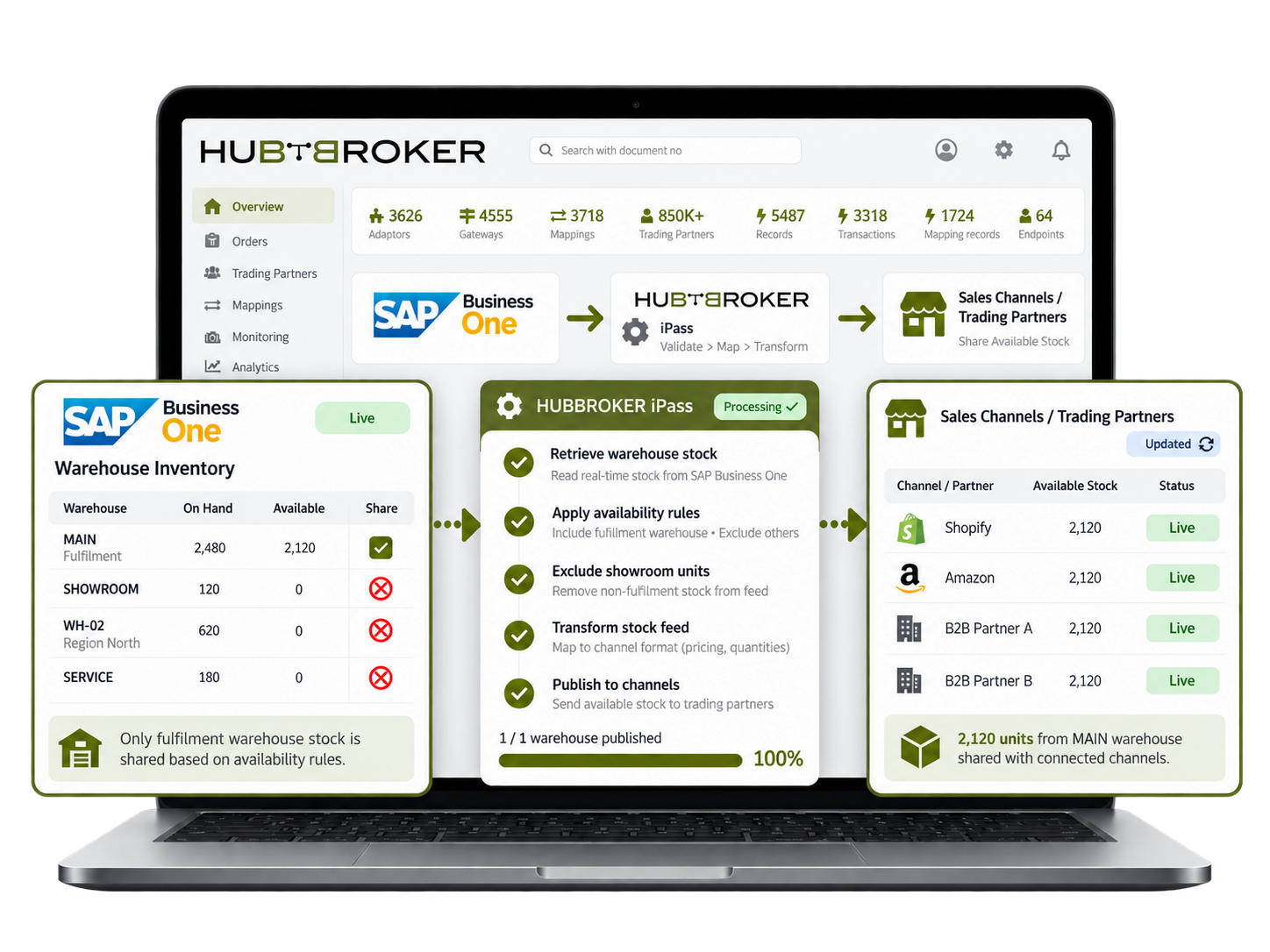
Share SAP Business One stock figures by warehouse with connected sales channels under agreed availability rules. A retailer can publish its fulfilment warehouse stock without including showroom units.
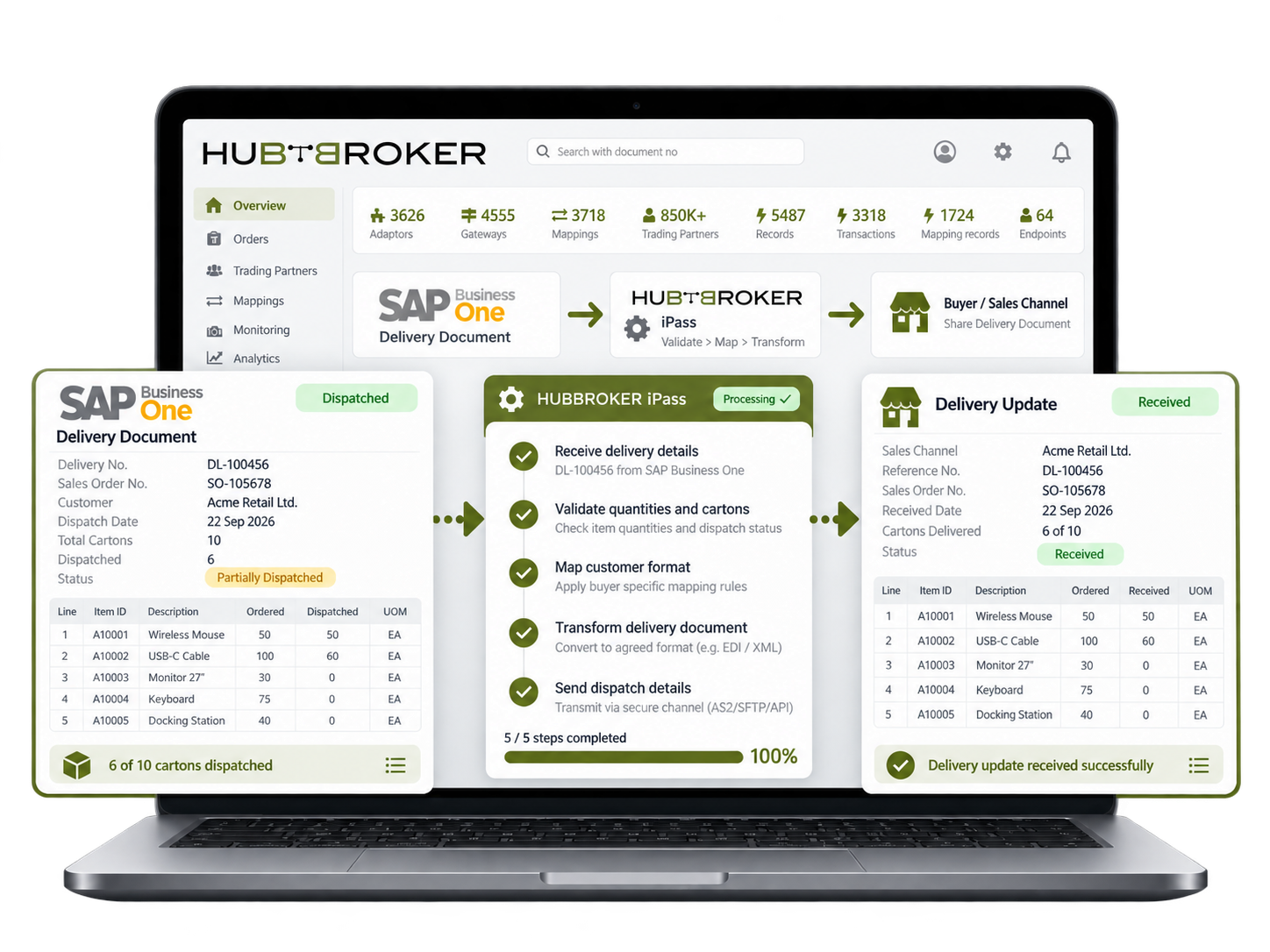
Pass SAP Business One delivery document details to linked customers or sales channels. When a part of an order ships, the buyer gets the dispatched item quantities rather than the full order quantity.
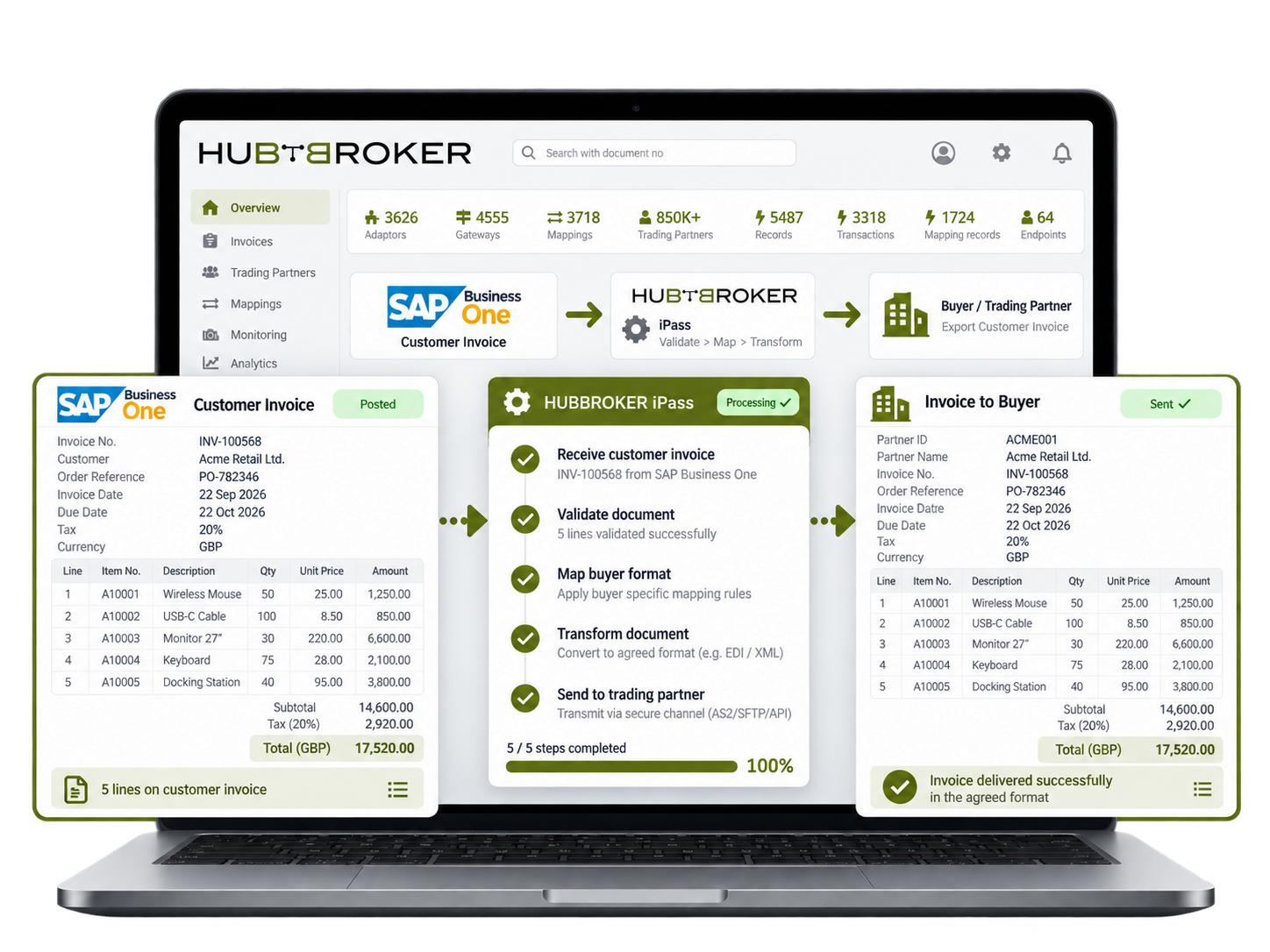
Share SAP Business One customer invoices with linked buyers, retaining document numbers, tax amounts and order references. A wholesale customer can match the bill to its order without requesting data.
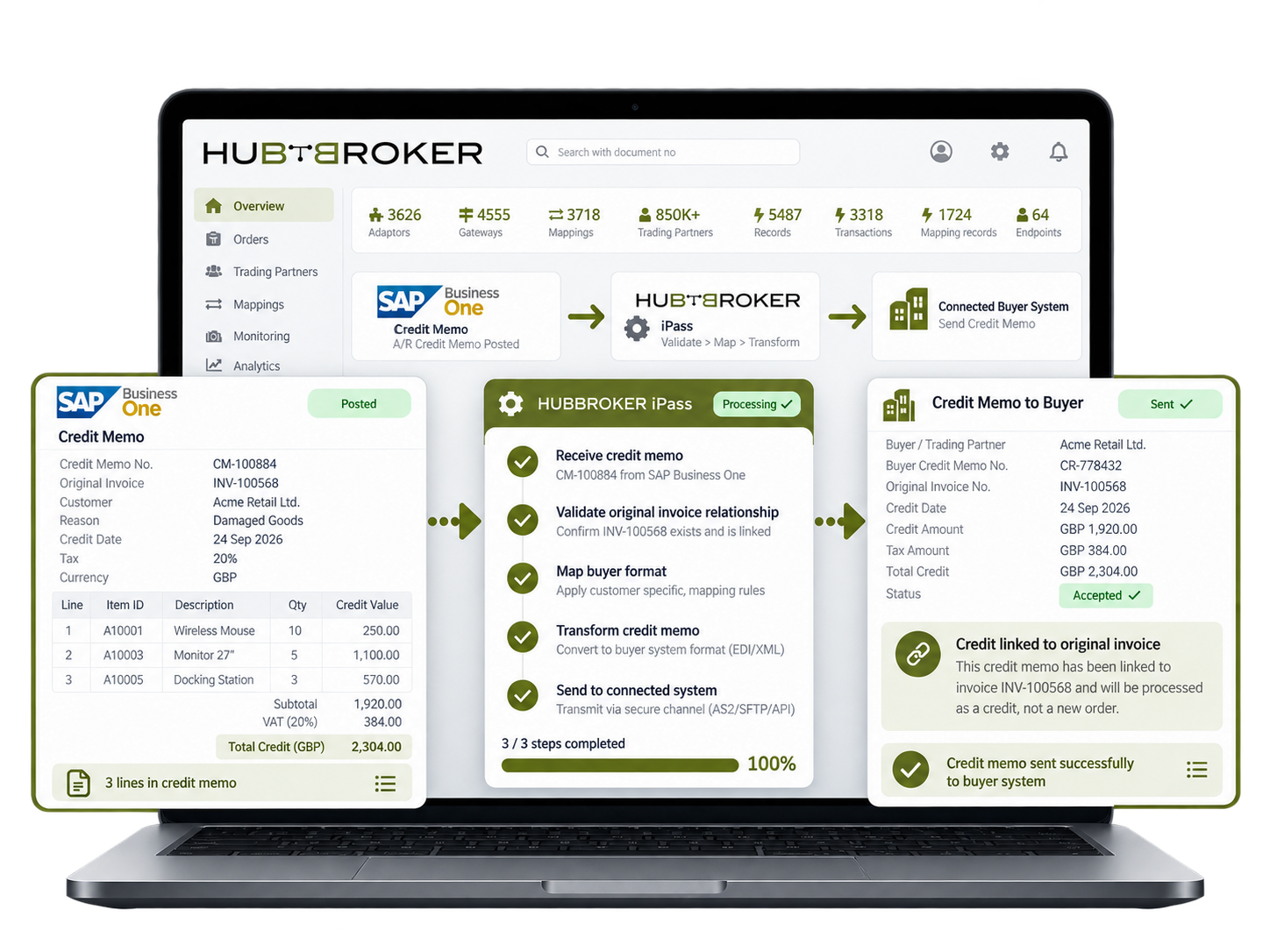
Share SAP Business One customer credit memos with connected systems, keeping the original invoice relationship. A credit for damaged goods can be traced to the sale without treating it as a new order.




Connect Amazon with ERP systems through EDI to automate orders, inventory, shipping, returns, and invoice data exchange.
Connect BigCommerce with your ERP through EDI to automate orders, invoices, inventory, and shipping data exchange across systems.
Connect Visma e-conomic with ERP and business systems through EDI to automate invoices, orders, finance, and accounting data.
Connect Microsoft Business Central with ERP, commerce, and trading systems through EDI to automate orders, invoices, and inventory.
Connect Rackbeat with ERP and commerce systems through EDI to automate inventory, orders, purchases, and invoice data exchange.
Connect Microsoft Dynamics 365 F&O with business platforms through EDI to automate finance, supply chain, orders, and invoicing data.
Connect Shopify with your ERP through EDI to automate orders, inventory, invoices, and fulfilment data exchange across systems.
Connect Uniconta with business systems through EDI to automate invoices, orders, inventory, and finance data exchange.
Connect SAP Business One with trading platforms through EDI to automate orders, invoices, inventory, and finance data exchange.
Connect OpenCart with your ERP through EDI to automate orders, invoices, inventory, and shipping data flow across business systems.
Let's schedule a demo and discover how our integration platform connects your apps and automates processes.
HubBroker connects with SAP Business One through the appropriate integration interface, enabling access to Business Partners, items, warehouses, orders, deliveries and invoices.
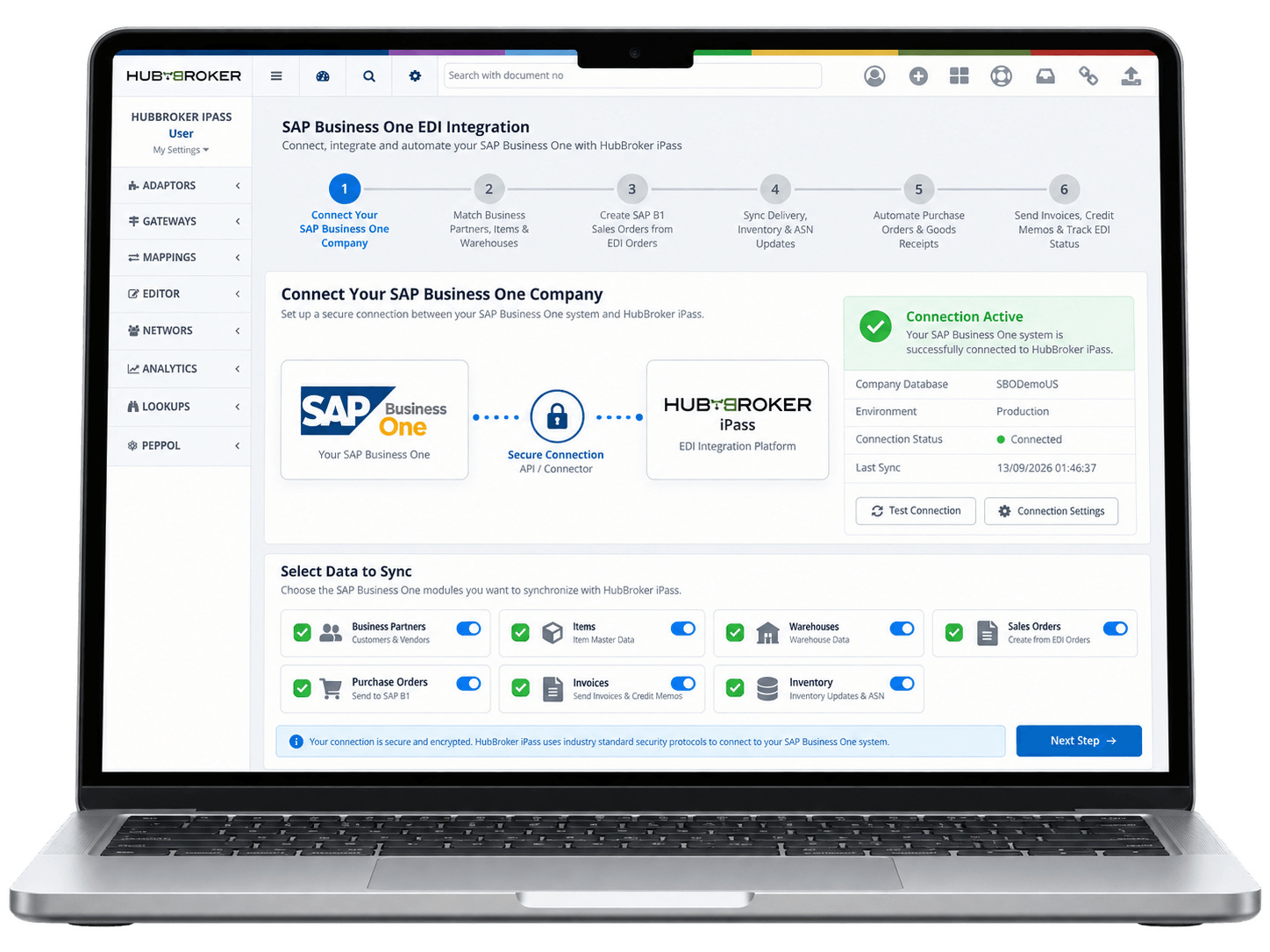
EDI partner IDs, Business Partners, item codes, units, warehouses, tax codes and delivery addresses are matched with the correct SAP B1 master data.
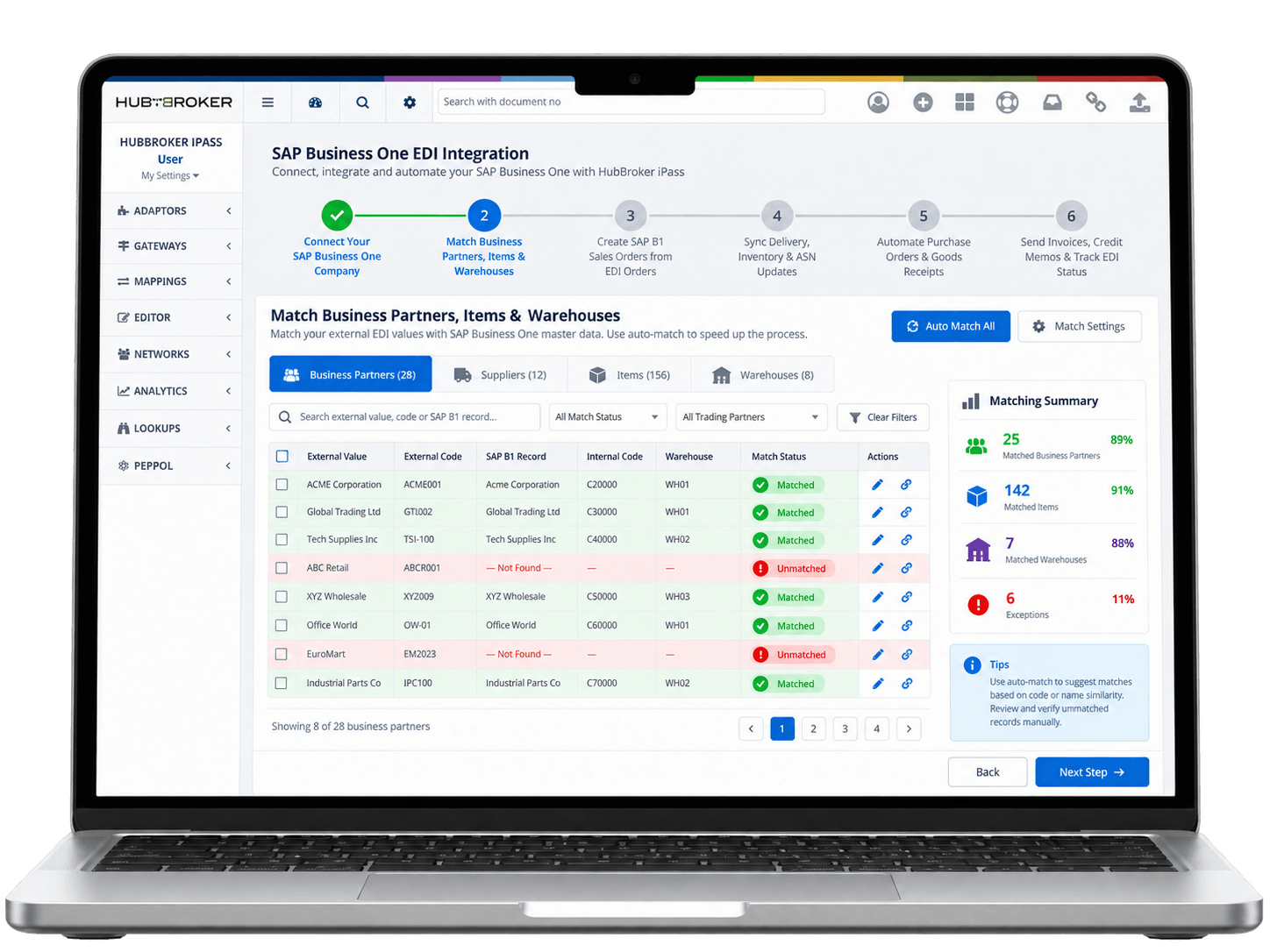
Customer EDI purchase orders are validated and automatically created as SAP Business One Sales Orders with the correct items, quantities, prices and delivery details.
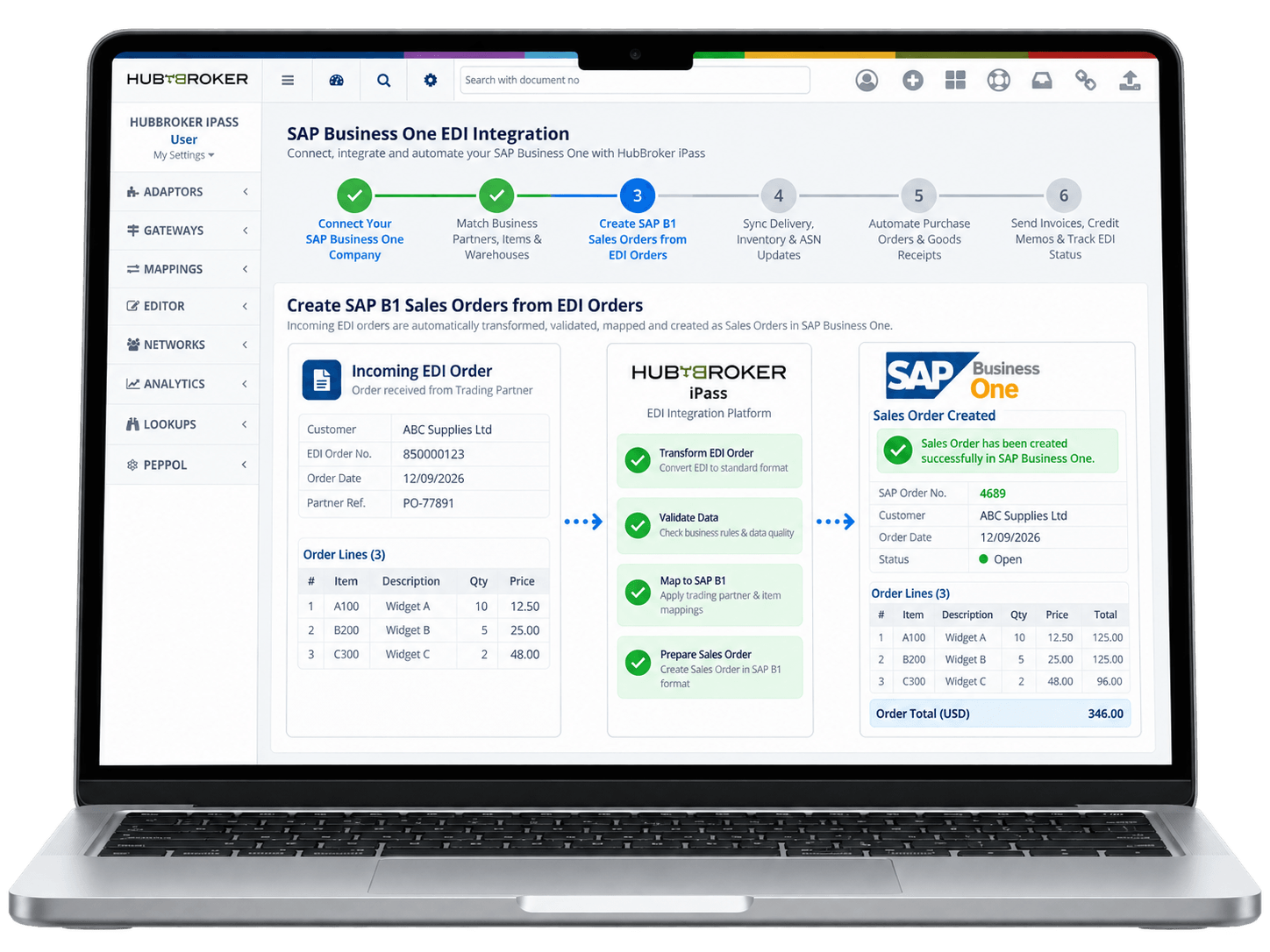
HubBroker uses SAP B1 delivery, warehouse and tracking data to automatically send shipment and ASN updates back to customers and trading partners.
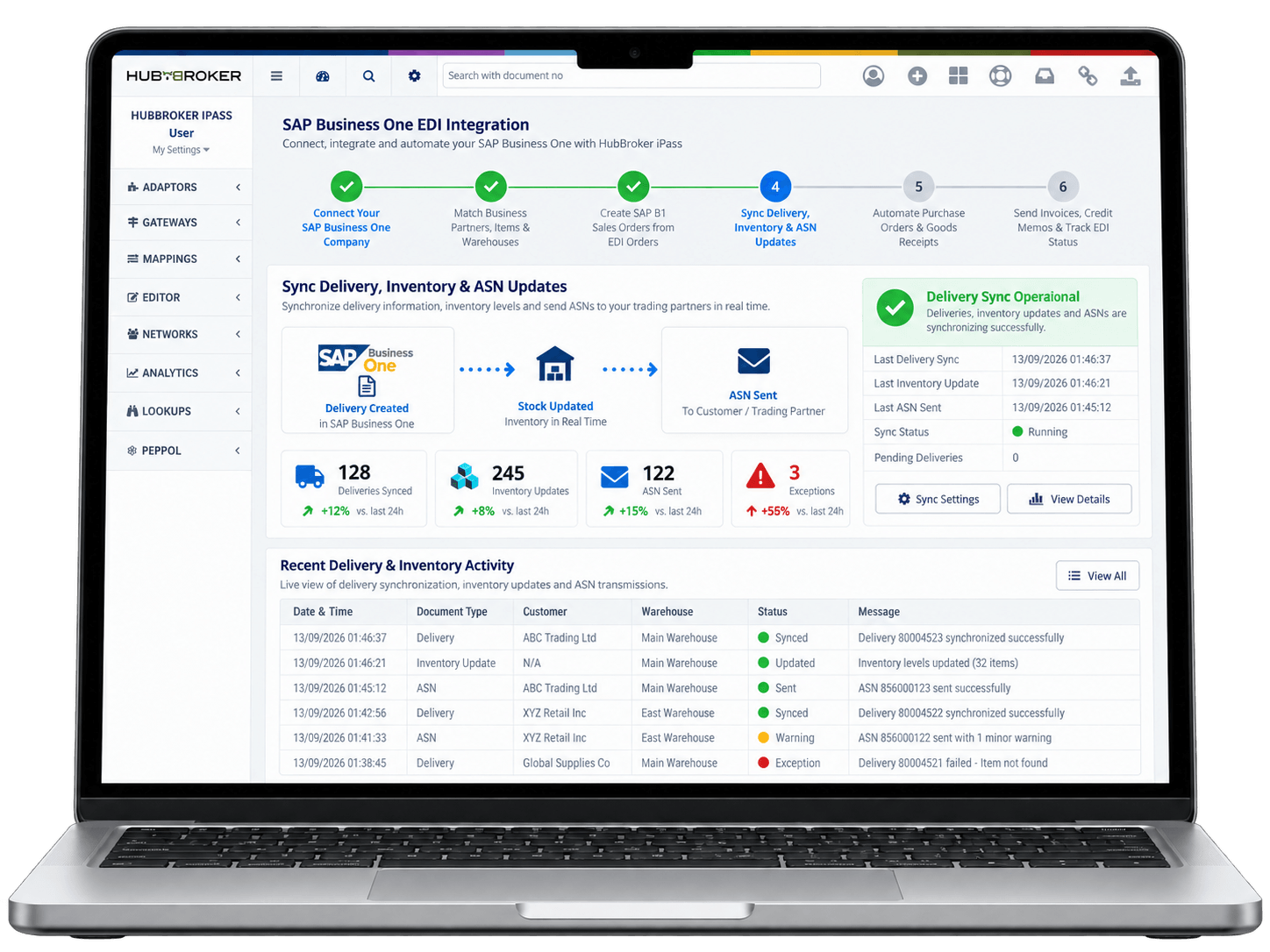
Supplier EDI transactions can create or update SAP B1 Purchase Orders, while Goods Receipt PO processing keeps purchasing and inventory data aligned.
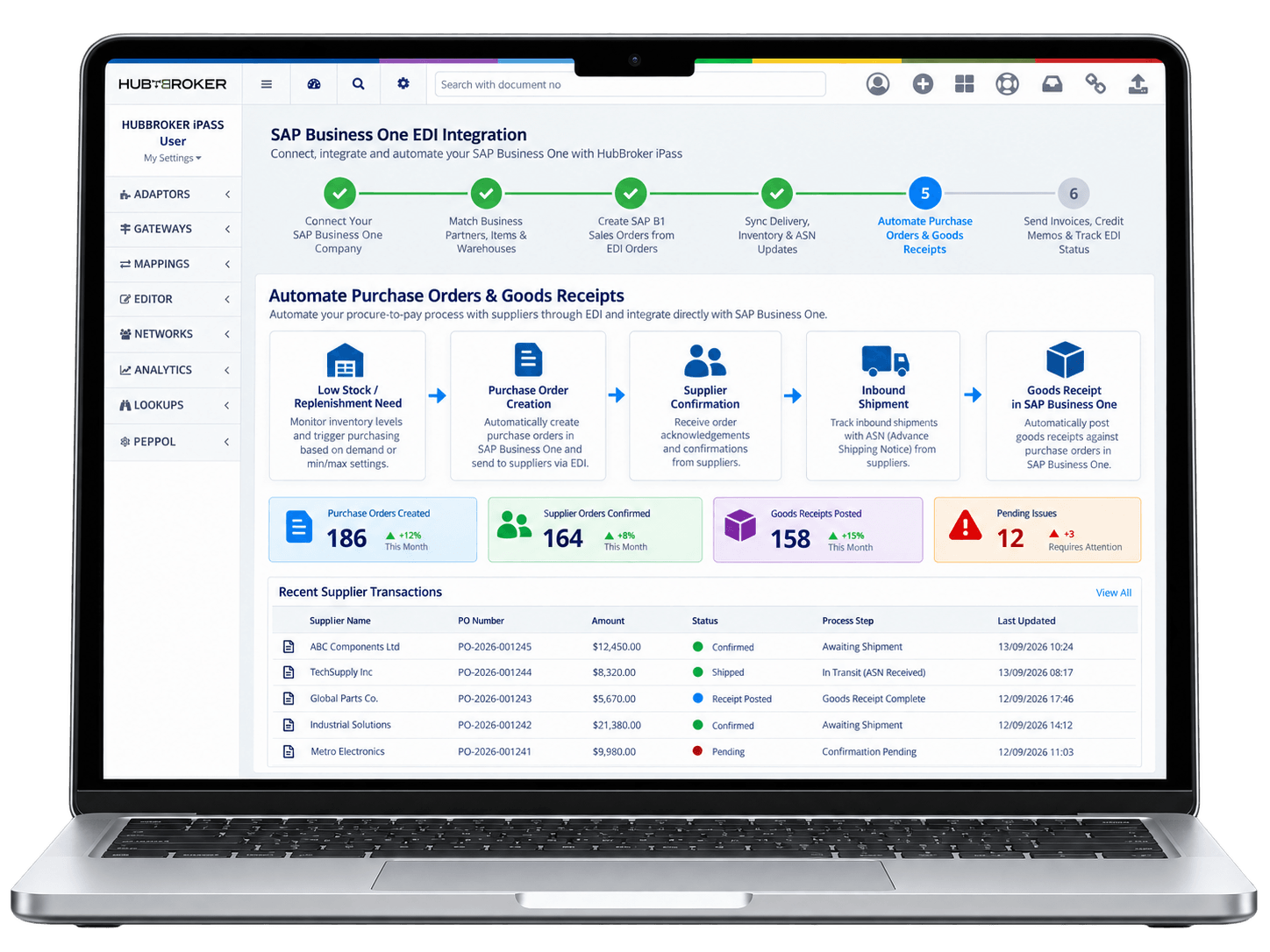
SAP B1 invoices and credit memos are converted into the required EDI or e-invoice format, while HubBroker tracks acknowledgements, rejections and processing errors.
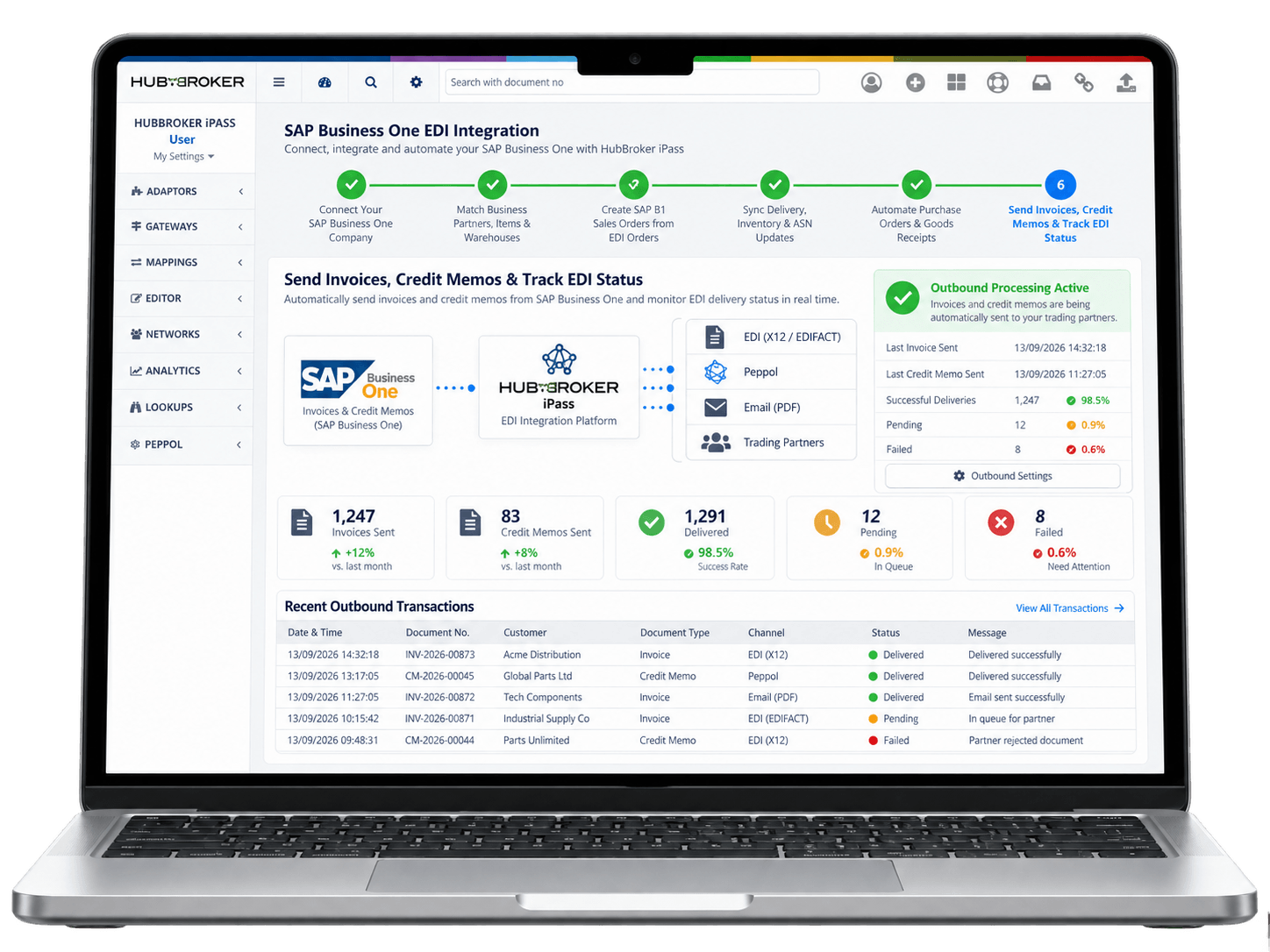













Sales orders, purchase orders, and supplier invoices land directly in SAP Business One sales and AP documents, so your team works inside the ERP instead of reconciling spreadsheets and emails.
Customer orders received via EDI are converted into SAP B1 sales orders automatically, so confirmation, delivery, and invoicing steps start without waiting for manual review or rekeying work.
Partner identifiers, item codes, and pricing rules are validated during EDI processing, so SAP Business One stays clean and reporting reflects the true state of customer and supplier activity.
Send Peppol-compliant e-invoices directly from SAP Business One to public-sector and private buyers across Europe, without manual uploads, separate portals, or extra plug-ins for each customer.
Onboard new customers, suppliers, retailers, and 3PLs to your SAP B1 EDI flow through reusable mappings and partner profiles, instead of building one-off integrations for every new connection.
Every EDI message, status change, and validation result is logged against SAP Business One records, giving finance, IT, and auditors a single source of truth for partner document history.
Our integration is shaped around how SAP Business One handles sales, purchasing, inventory, and posting, so your team is not forced into workarounds or parallel systems for daily document work.
You connect SAP Business One once and add customers, suppliers, retailers, marketplaces, and logistics partners through the same HubBroker platform instead of buying separate EDI add-ons.
SAP B1 customers get certified Peppol Access Point connectivity included, so e-invoicing, B2G mandates, and growing EU regulatory needs are covered inside the same integration setup.
Our SAP Business One EDI projects follow a documented path from requirement review through testing and go-live, so IT leaders know what to expect on timeline, scope, and effort.
Our teams in Denmark and India support SAP B1 EDI customers directly, including help with partner mapping changes, document formats, and ERP-side questions during your business hours.
SAP Business One can be extended with intelligent document processing, Peppol e-invoicing, and ERP API integration through the same HubBroker setup, so automation grows with the business.

ERIKS is a globally recognized industrial service provider with over 80 years of experience in delivering technical products, engineering expertise, and tailored services.
Read More
Orkla House Care Europe, a division of Orkla ASA, is a leading manufacturer and distributor of high-quality painting tools for both professionals and DIY users. Operating across Sweden, Denmark, Norway, and the UK.
Read More
Ammega Group, through its Megadyne division, is a global leader in the manufacturing and distribution of power transmission belts and industrial conveyor solutions.
Read More
TDC Brands is a Danish telecommunications group, home to six brands: YouSee, TDC Erhverv, Telmore, Hiper, eesy and Relatel.
Read More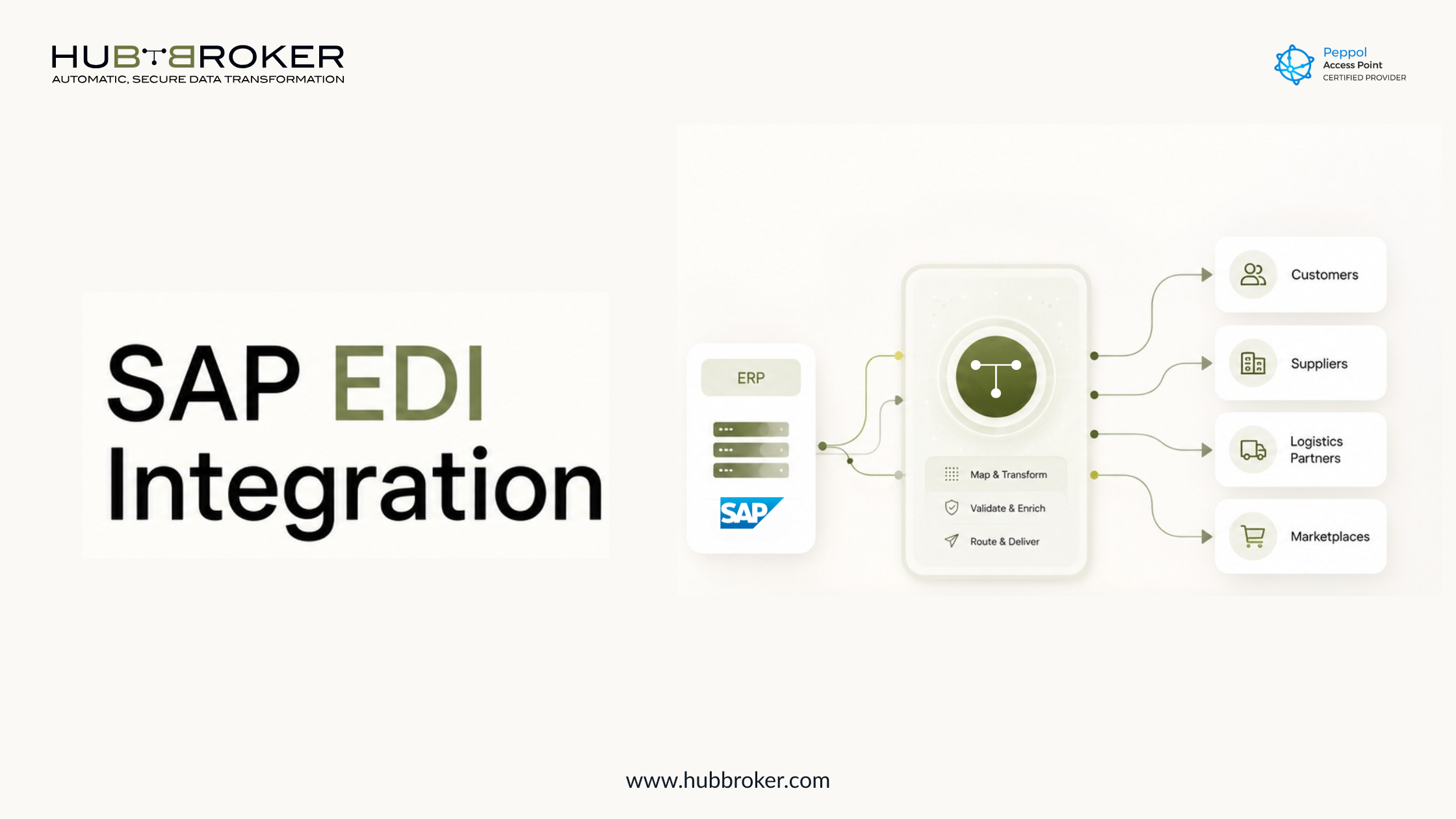
Connect SAP with your EDI workflows using HubBroker. Automate invoices, orders, and business documents with secure ERP integration.
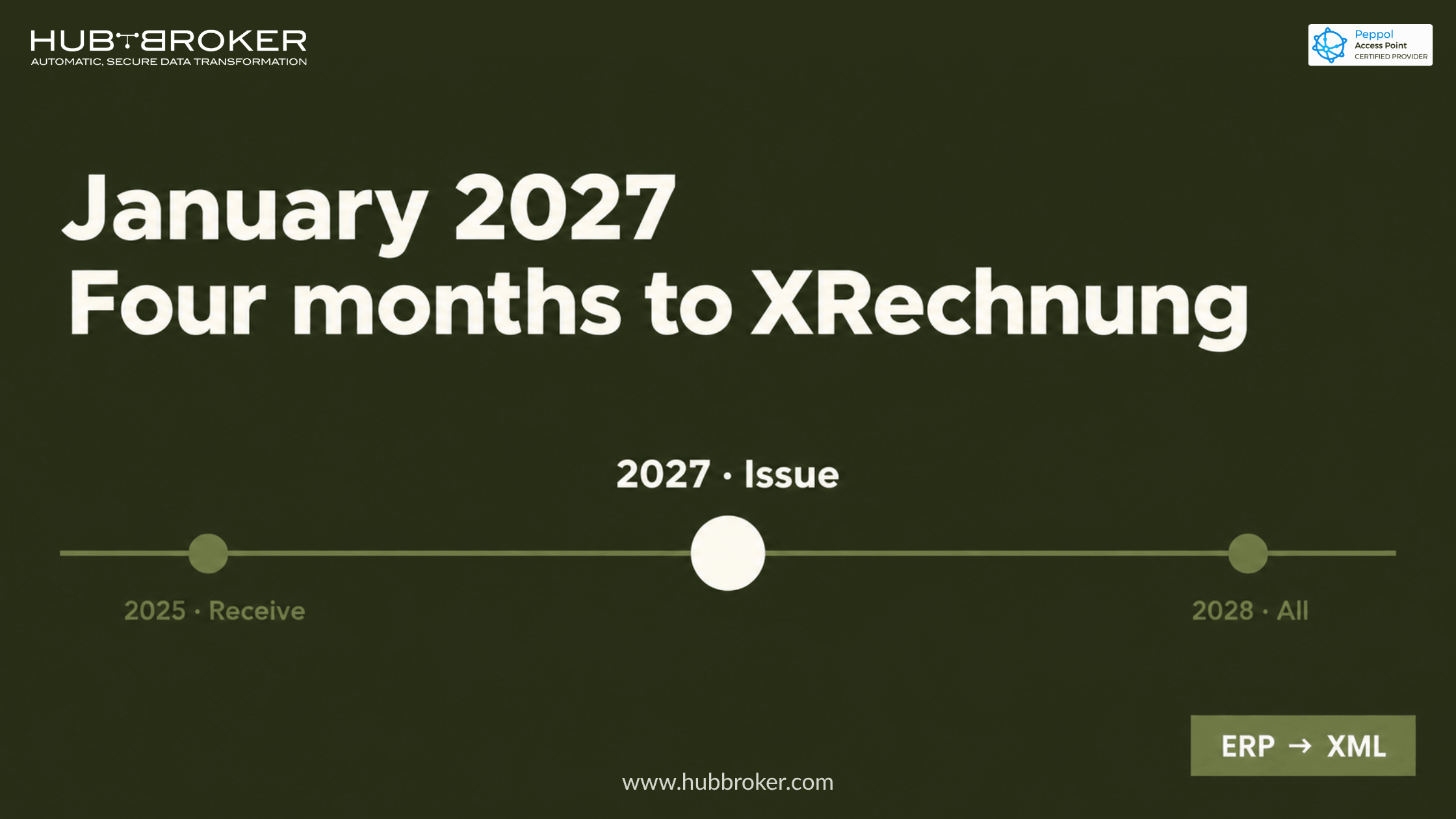
SAP B1 does not produce XRechnung out of the box. The master data, mapping and validation gaps to close before Germany's January 2027 mandate.
Compare SAP integration services, delivery models, core capabilities, and provider selection criteria for reliable ERP, EDI, API and application connectivity.
HubBroker solutions support businesses across industries where reliable data exchange, automation, compliance, and partner connectivity are essential.
Support fast-moving order, invoice, inventory, and marketplace workflows with automated document and system integrations.
Help manufacturers connect suppliers, customers, ERP systems, and logistics partners for smoother production and supply chain operations.
Enable structured data exchange for shipping, delivery, tracking, invoicing, and partner communication across logistics networks.
Support secure and accurate document exchange where compliance, reliability, and process efficiency are critical.
Help financial businesses improve document processing, data accuracy, reporting flows, and secure business communication.
Automate order-to-cash and procure-to-pay workflows across customers, suppliers, warehouses, and ERP systems.
You can connect to SAP API using secure integration tools that exchange data between SAP and external business systems.
EDI in SAP is implemented by mapping business documents, setting up partner connections, and automating data exchange through EDI.
SAP EDI integration connects SAP with customers, suppliers, and partners to exchange invoices, orders, and documents electronically.
Bredgade 45B 1260 , København K Capital Region, Denmark
D-1010, The First, B/H ITC Narmada, Ahmedabad, Gujarat, 380015, India